Product Demo Videos That Actually Convert: 10 Examples + Framework
Learn what makes product demo videos convert. 10 real examples analyzed, common mistakes to avoid, and proven frameworks for demos that drive results.
You need a product demo video that turns viewers into customers. But most demos fail because they dump features instead of solving problems. Your audience stops watching after 10 seconds if you don't show them why they should care.
The good news? You can fix this. This guide breaks down 10 product demo videos that actually work. You will see what makes them convert, what mistakes to avoid, and how to structure your own demo. By the end, you will know exactly what to include and what to cut.
Key Takeaways
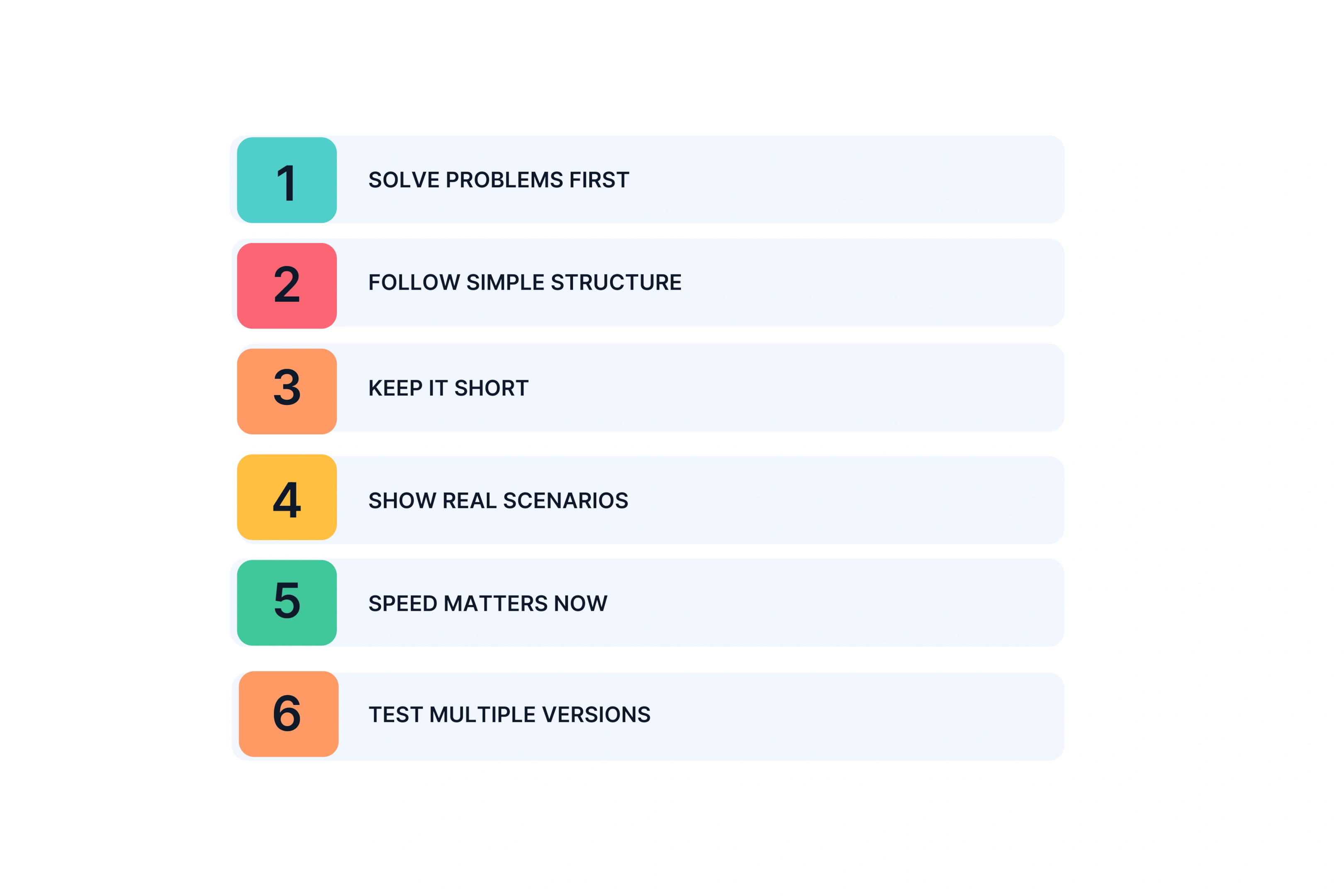
Solve Problems First: Product demo videos work when you focus on customer outcomes, not feature lists.
Follow Simple Structure: The best demos use this flow: problem, solution, proof, action.
Keep It Short: Plan for 60 to 90 seconds on social media platforms and 2 to 3 minutes on your website. Data shows that 50% of viewers drop off within the first 10–15 seconds of a video, which is why keeping your demo tight and front‑loading value is non‑negotiable.
Show Real Scenarios: Great product demonstration videos show real life use cases, not empty screen recordings.
Speed Matters Now: Creative partner approaches cut production time from weeks to days without losing quality. Recent surveys show that 70–80% of marketers now need video content in days, not weeks, which is why creative partner models that deliver in 3–7 days are becoming the default for scaling demo videos.
Test Multiple Versions: Create different versions so you can run A/B tests and learn what your target audience responds to.
What Makes a Product Demo Video Actually Work
Most demos fail because they explain what the product does instead of what problem it solves. Your video needs to show outcomes, not features.
Understanding Your Target Audience First
You cannot create a good demo without knowing your audience. Every decision in your video should start with one question: what pain point does this solve for them?
Map your demo to where the viewer is in their journey. A potential customer who just discovered your product needs different information than an existing user exploring new features. The first group wants to know if you solve their problem. The second group wants to know how to use what they already bought.
What drives your creative choices:
Customer pain points come before product features
Show the workflow your audience actually uses
Skip jargon your target audience does not understand
The Core Framework Every Demo Needs
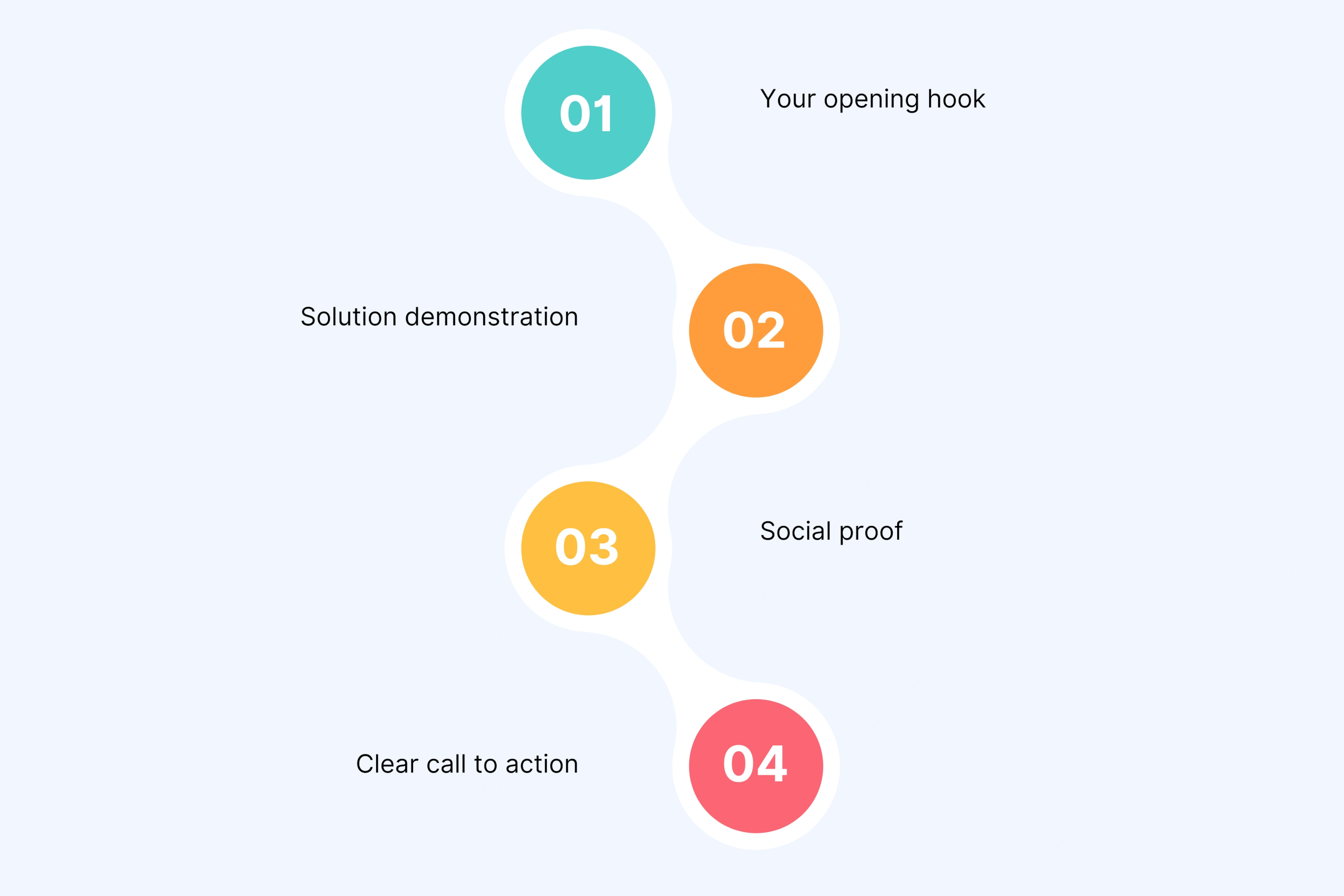
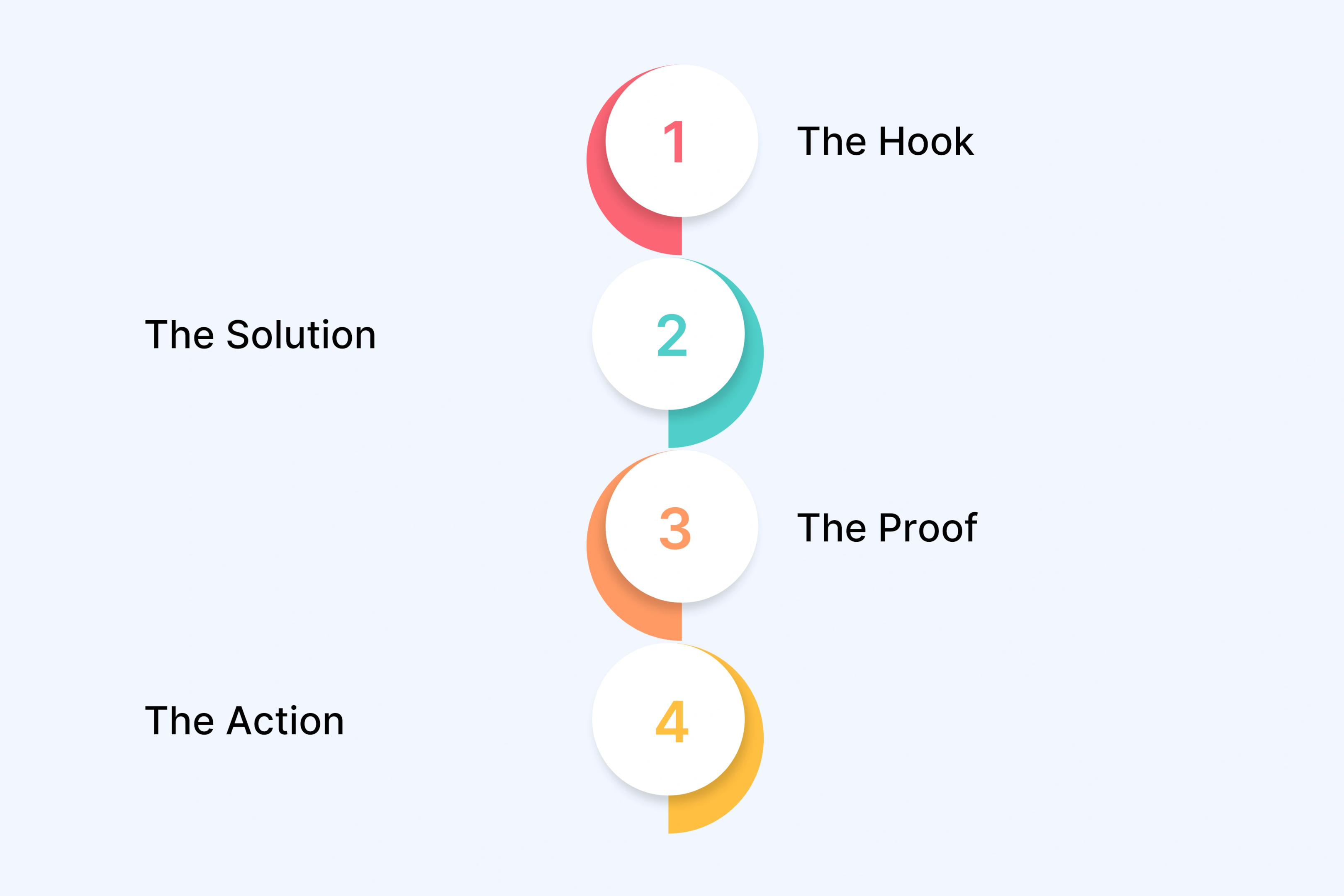
Every effective product demonstration video follows four parts: problem, solution, proof, action.
Your opening hook (0 to 10 seconds) must address a pain point. Do not start with your company name. Start with the problem your viewer faces every day. Studies show that viewers decide whether to keep watching within the first 10–15 seconds, so your hook must immediately signal relevance to their pain point.
Solution demonstration (10 to 60 seconds) shows your core features in action. Focus on 2 to 3 features that solve the main problem. Do not show every button and menu.
Social proof (60 to 75 seconds) adds credibility. Share results from existing users or real data. Examples: "Teams save 10 hours per week" or "Customers report 34% higher conversions."
Clear call to action (75 to 90 seconds) tells viewers what to do next. Match the action to their intent: free trial, book demo, or see pricing.
Take Slack's demo video. It works because it shows real workflow scenarios. You see teams communicating in channels, sharing files, and connecting tools they already use. Slack never lists technical details. They show you solving your daily communication chaos.
10 Product Demo Video Examples That Get It Right
We studied hundreds of product videos. These 10 demos actually convert. Here is what they do right.
1. Slack – Team Communication Software Demo Video
Slack's demo runs 1 minute and 47 seconds. It shows file sharing, idea sharing, and workflow automation without feeling like a tutorial.
The video opens with a problem you know. Your team juggles too many tools. Messages get lost. Work feels chaotic. Then you see real people using Slack. The screen recordings look authentic, not staged. You see channels organizing conversations. You see apps connecting. Small arrows point out what matters.
What works:
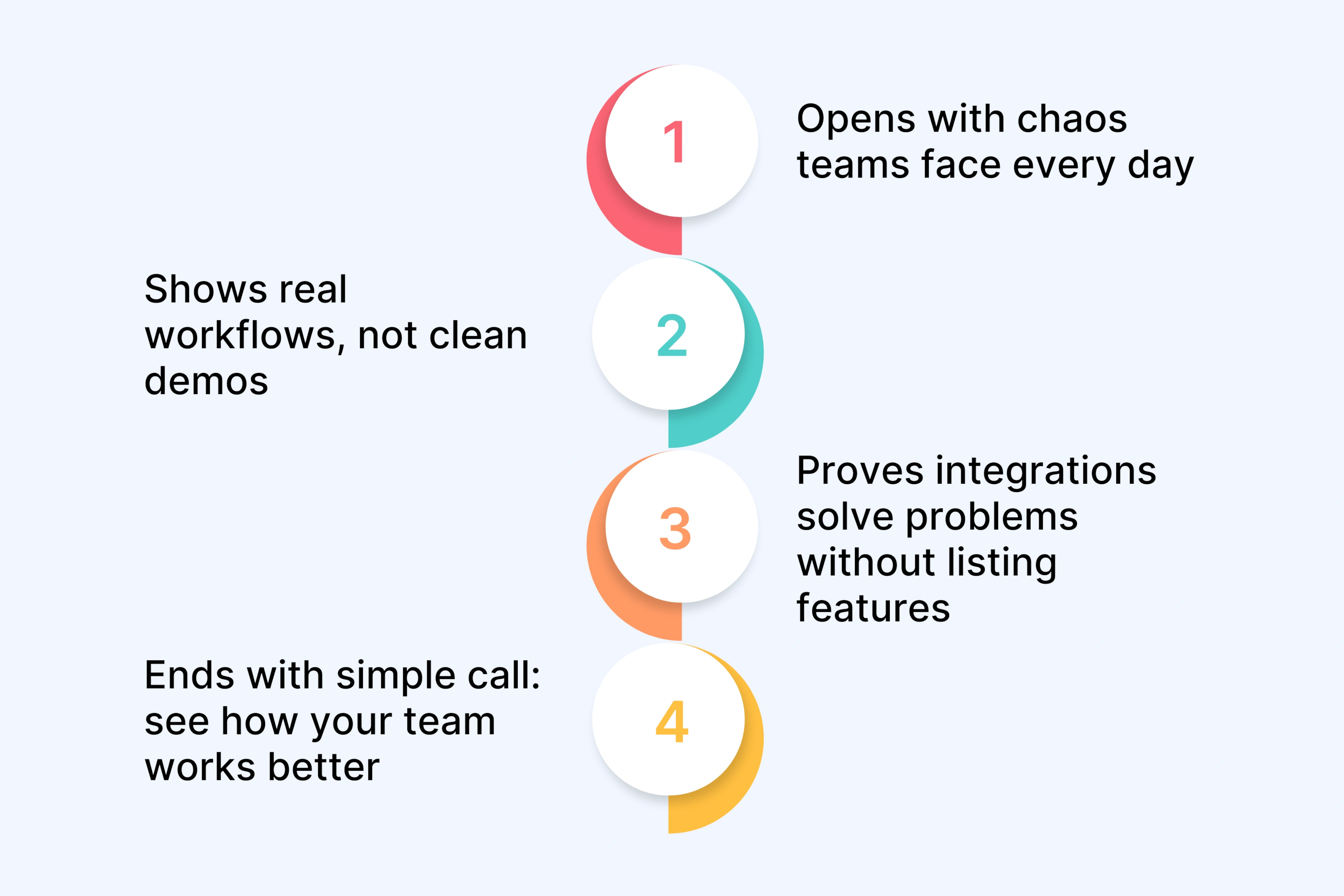
Opens with chaos teams face every day
Shows real workflows, not clean demos
Proves integrations solve problems without listing features
Ends with simple call: see how your team works better
Key lesson: Context beats features. Slack does not say "we have 2,000 integrations." They show you escaping communication chaos.
2. Loom – Async Video Messaging (SaaS Product Demo Video)
Loom used their own tool to make their demo. Smart move. The 1 minute and 23 second product demonstration video shows what you get by using what they sell.
It starts with a pain point. Meetings waste your time. Then someone records their screen with a camera bubble. You get the value in under two minutes. Loom skips complex features. The demo touches on different uses. Design feedback. Teaching. Sharing ideas.
Why it works:
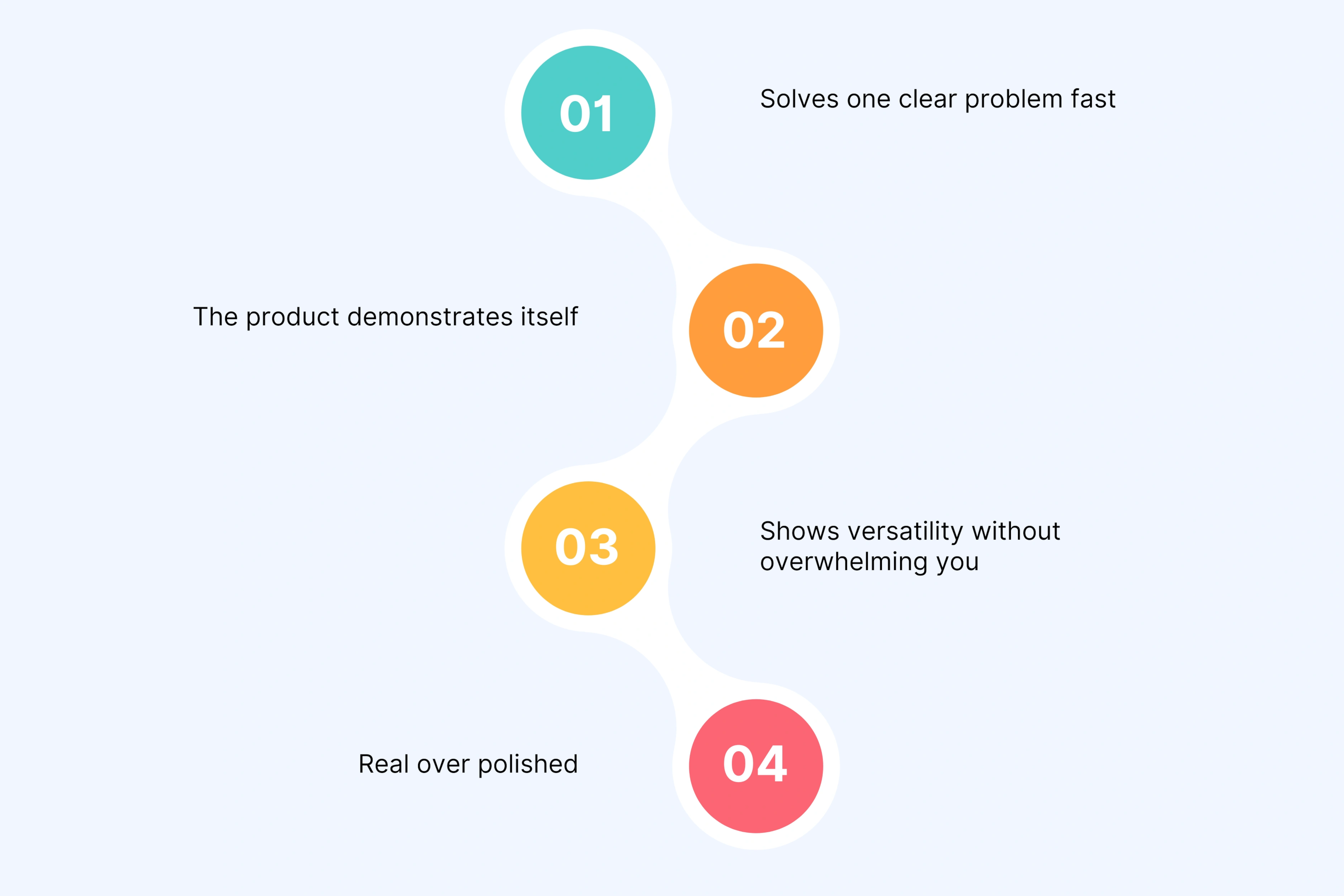
Solves one clear problem fast
The product demonstrates itself
Shows versatility without overwhelming you
Real over polished
Key lesson: Show, do not tell. When you make a communication tool, use it to communicate. Your viewers see exactly what they will experience.
3. Asana – Project Management Software Demo
Asana mixes live video and screen recordings in their 2 minute and 14 second demo. This combo shows before and after clearly.
The opening question lands. How many projects die in your email inbox? Then Asana walks through a marketing campaign. You see how different teams use it. Tasks move from person to person naturally. The focus stays on outcomes. Projects get done on time.
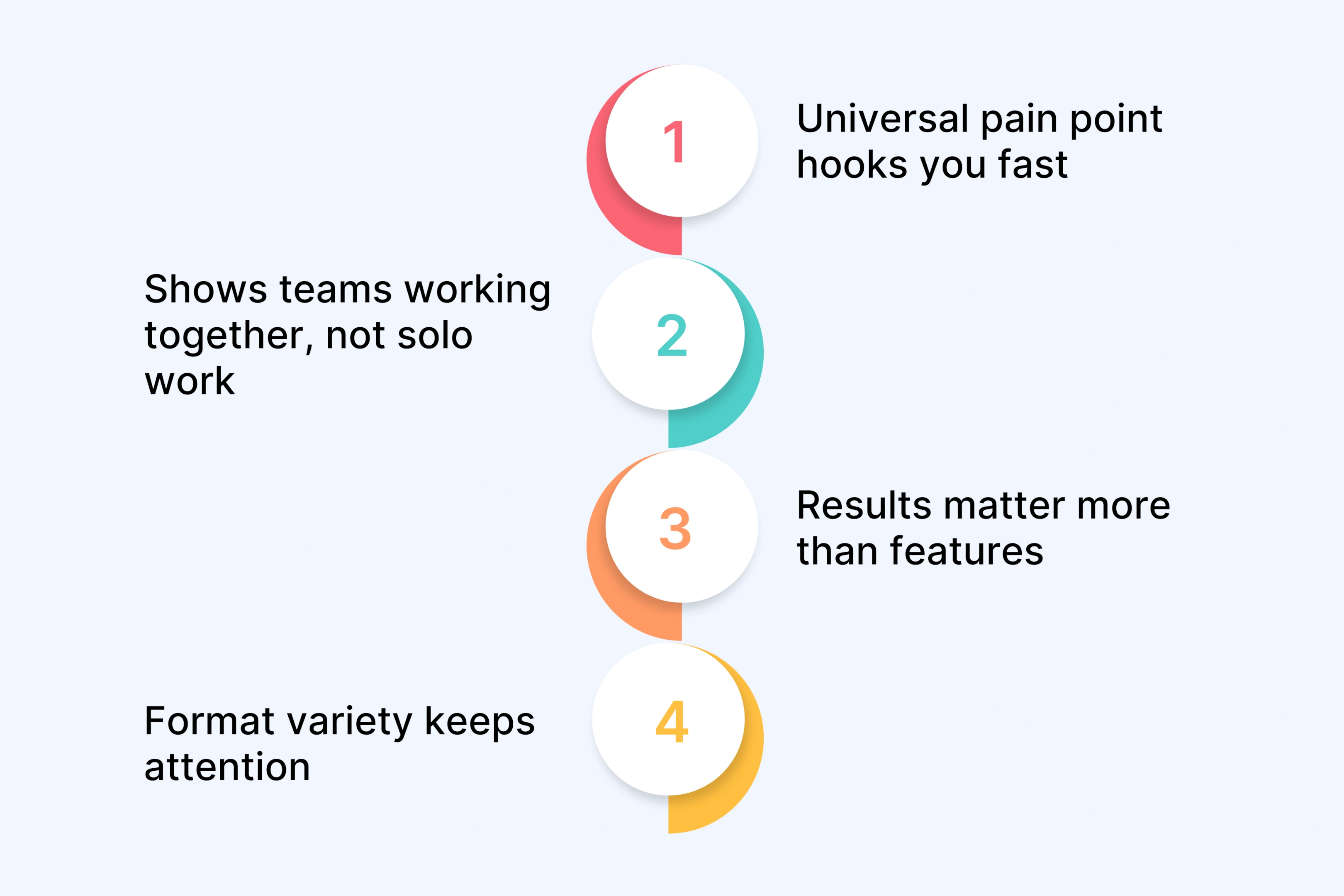
What makes it effective:
Universal pain point hooks you fast
Shows teams working together, not solo work
Results matter more than features
Format variety keeps attention
Key lesson: Show how different roles use your product together. Viewers need to picture their whole team using it, not just themselves.
4. Shopify – E-commerce Platform Demo
Shopify targets one audience. People who want to sell online. The 1 minute and 55 second product demo walks from store setup to first sale.
You follow the complete journey. Customer stories mix with screen recordings. You see desktop and mobile. Shopify kills the biggest objection directly. No coding needed. Background music keeps energy up.
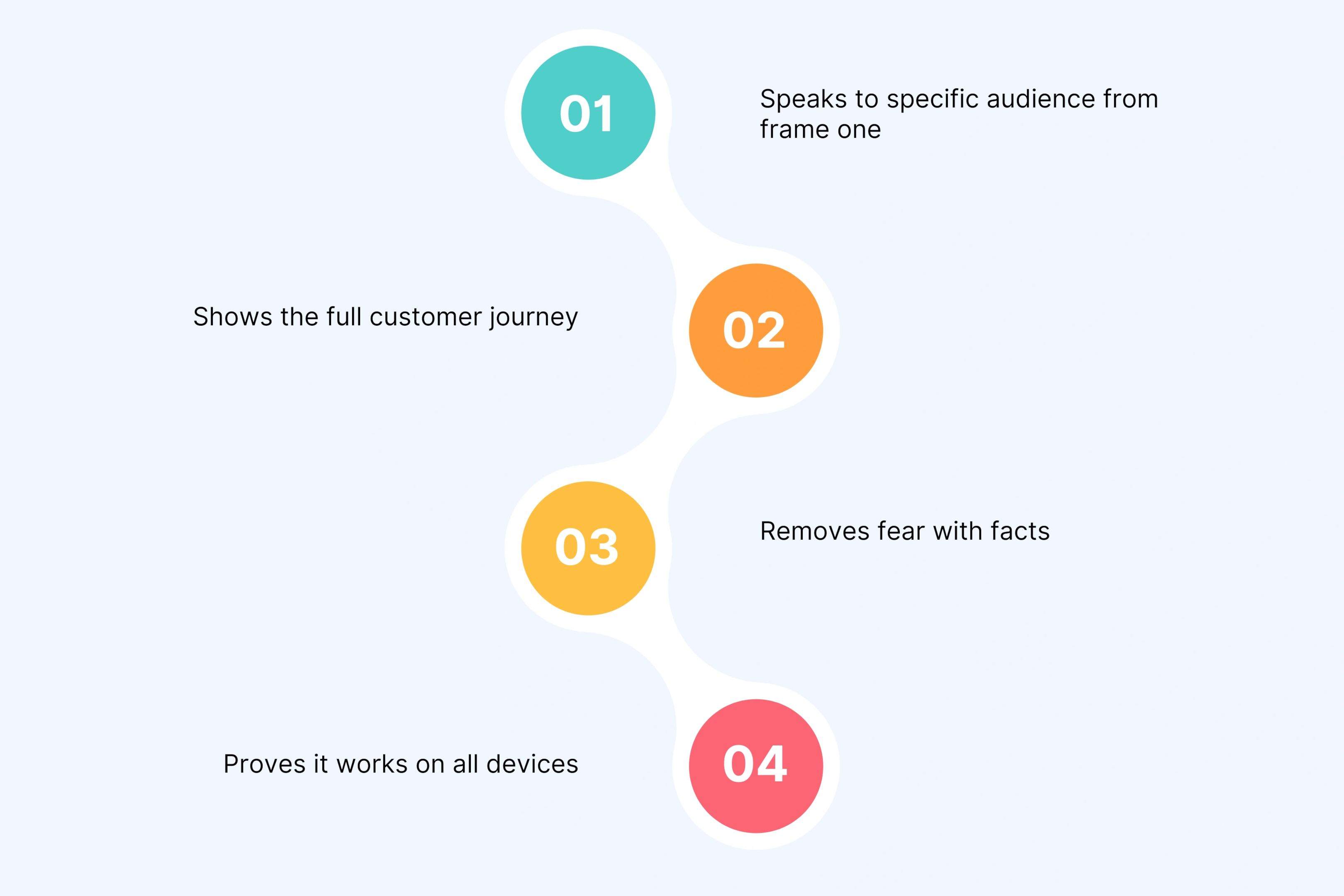
What it does right:
Speaks to specific audience from frame one
Shows the full customer journey
Removes fear with facts
Proves it works on all devices
Key lesson: Kill the fear stopping your audience. Shopify makes "launch an online store" feel possible in under two minutes.
5. Notion – Workspace Software Solution
Notion's demo runs 1 minute and 38 seconds. Instead of showing everything, you watch one team solve one problem. They manage their content calendar.
You see real projects. Real deadlines. Not empty templates. Notion shows different views of the same work. Text overlays reinforce each point. One tight story makes a complex tool feel simple.
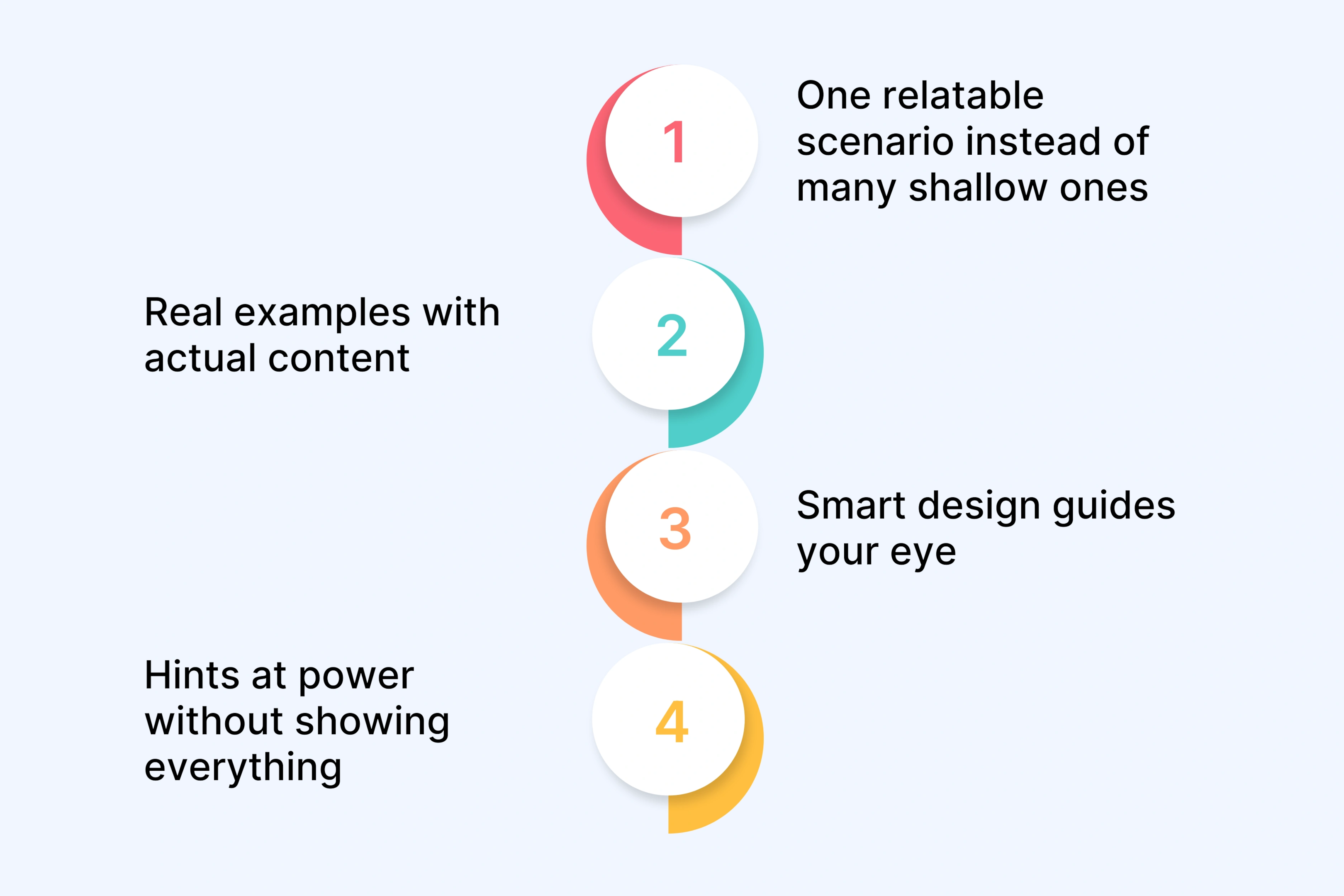
Why this works:
One relatable scenario instead of many shallow ones
Real examples with actual content
Smart design guides your eye
Hints at power without showing everything
Key lesson: Pick one scenario your best customers face. Make it real. Do not try to show every use case.
6. Headspace – Meditation App Demo
Headspace fits everything into 47 seconds. Perfect for social media platforms. The video names stress right away. Then shows the app creating calm.
You see friendly animations. Soothing colors. A real person shares results. The call to action is simple. Start your free trial. Everything matches the brand feeling.
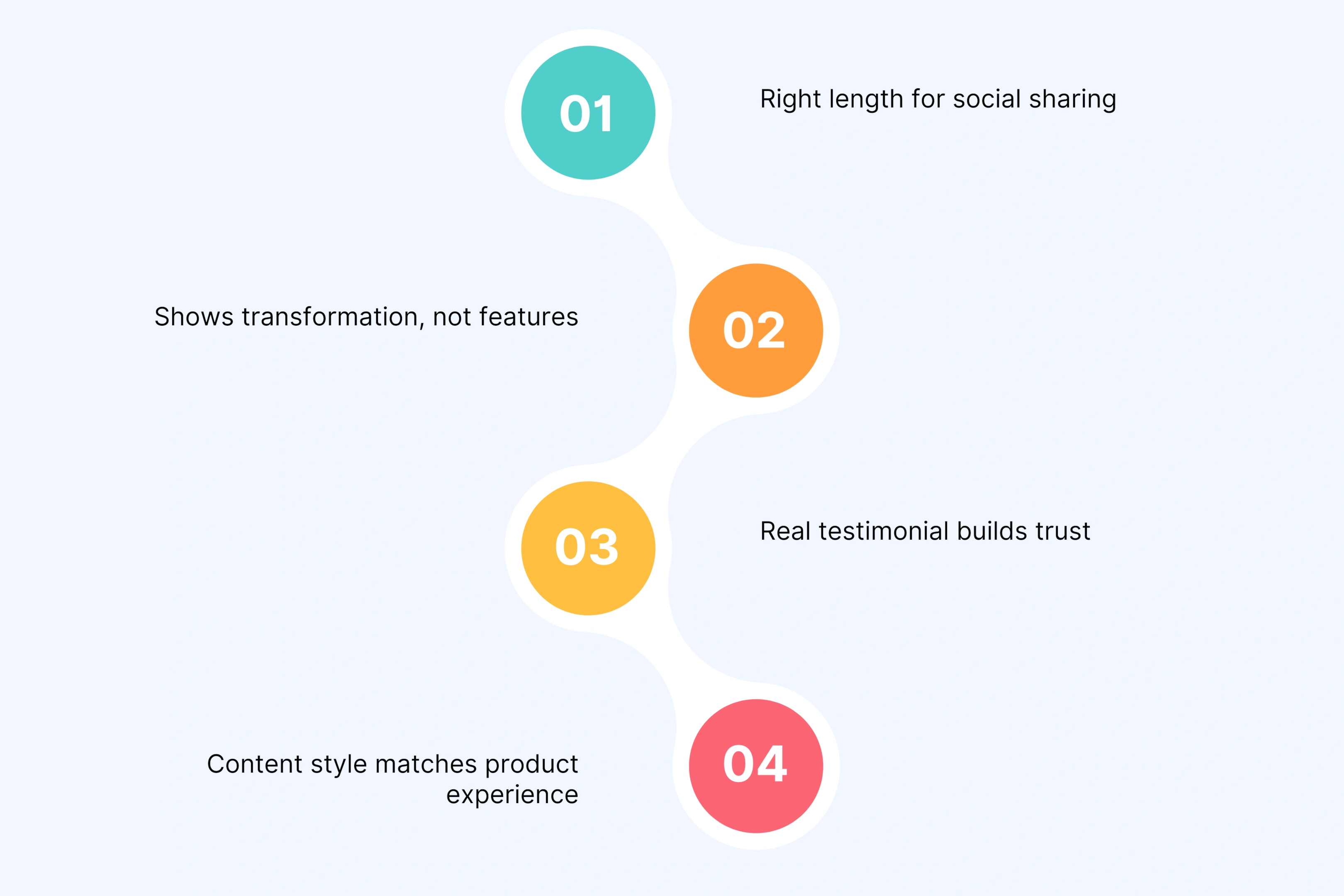
What makes it engaging:
Right length for social sharing
Shows transformation, not features
Real testimonial builds trust
Content style matches product experience
Key lesson: Show the change your app creates. For wellness apps, emotional transformation beats feature lists every time.
Dropbox created a 2 minute and 16 second demo using animation. No screen recordings. This works because you cannot see cloud storage happening.
The problem is universal. Lost files. Version confusion. Then Dropbox shows personal backup, team sharing, and client access. All explained in plain language. No jargon.
Why it became a standout example:
Animation clarifies invisible technology
Shows different user types quickly
Technical ideas in simple words
Set the standard others follow
Key lesson: When your product does invisible work, animation explains it better than trying to film something people cannot see.
8. Grammarly – Writing Assistant Software Demo
Grammarly's 1 minute and 29 second SaaS product demo video shows the product everywhere people write. Email. Documents. Social posts. Split screens prove value.
You watch Grammarly work across Gmail, Google Docs, and websites. It calls out specific problems. Unclear tone. Grammar errors. Real data backs claims. Users make 10 times fewer errors.
Why this software demo works:
Shows product in multiple real places
Split screen proves value immediately
Names exact problems it fixes
Data supports every claim
Key lesson: If your tool works everywhere, prove it. Show it in all the places your audience already works.
9. Calendly – Scheduling Software Demo Video
Calendly's entire 1 minute and 12 second demo solves one problem. Scheduling emails waste time. You see both sides. The scheduler and the person booking.
Real screen recordings show the actual flow. Calendar integrations appear early. The payoff is clear. Save 10 hours per week.
Why focus wins:
Owns one problem completely
Shows both user perspectives
Makes key integrations obvious early
Quantifies time saved
Key lesson: If you solve one specific pain, own it completely. Do not dilute your message trying to be everything.
10. Canva – Design Platform Product Video
Canva's 1 minute and 44 second video shows transformation. Blank canvas to professional design in seconds. You watch real creation happen, not static screens.
Multiple use cases flash by. Social posts. Presentations. Brand materials. Canva addresses the main fear. You do not need design skills. The template library answers "where do I start?" Bright visuals match what you can create.
What this product launch video proves:
Shows blank to beautiful journey
Multiple outputs show range fast
Kills main objection directly
Demo quality matches output quality
Key lesson: Your demo should showcase what users can make. If your demo looks basic, viewers assume their results will be too.
These 10 product demo video examples follow patterns you can copy. Each walks the customer journey from problem to solution. They focus on outcomes, not features. Study what works here and apply it to your demo.
Comparison Table: What These Demos Have in Common
Element
% of Demos Using It
Why It Matters
Opens with customer pain point
100% (10/10)
Hooks viewers immediately and establishes relevance
Real-life scenarios (not sterile demos)
90% (9/10)
Helps potential customers picture themselves using it
Common Product Demo Mistakes (And How to Avoid Them)
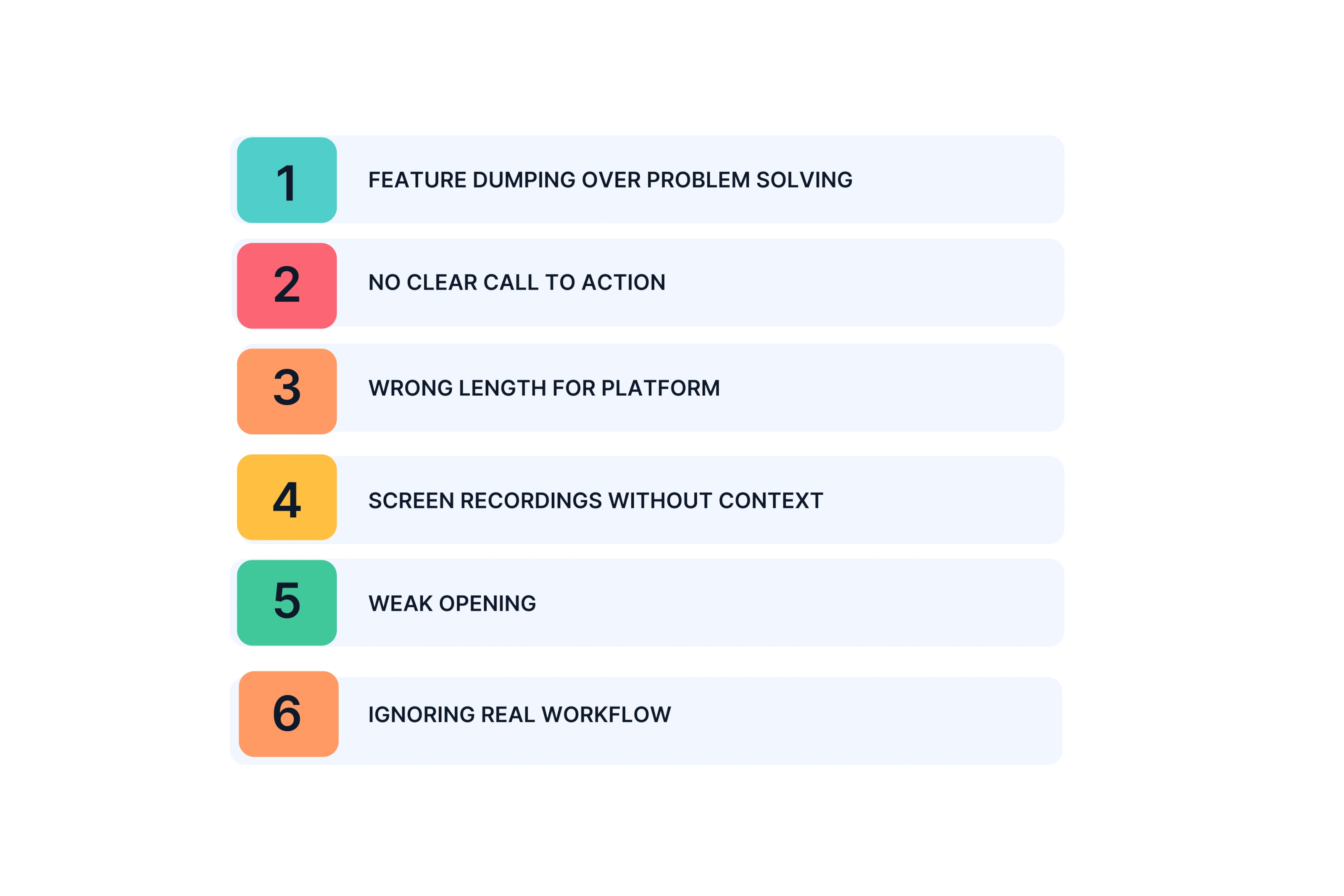
We watched hundreds of product demo videos to find what kills conversions. Here are the 6 mistakes that ruin demos and how to fix them.
1. Feature Dumping Over Problem Solving
You list every feature in a 4 minute tour. Your viewers get lost trying to figure out what matters to them. Their brains overload. They click away.
The fix: Pick 2 to 3 key features that solve specific problems. Skip the rest.
Bad example: "We have 47 integrations and 12 dashboard views." Good example: "Connects with Slack and Google Drive, the tools you use every day."
Your product demonstration video should solve problems, not showcase your entire feature list. Potential users care about their pain points, not your complete roadmap.
2. No Clear Call to Action
Your demo video ends with "Learn more at our website" or just fades to your logo. Interested viewers sit there wondering what to do next. The momentum dies. You lose the conversion.
The fix: Tell viewers exactly what to do next based on where they are. Start free trial. Book a demo. See pricing.
Strong calls to action include urgency or remove friction: "Start your free 14 day trial, no credit card required." This beats vague requests like "visit our site to learn more."
Great product demo video examples always end with one clear next step. Not three options. Not a menu. One action.
Sales presentations: 2 to 4 minutes with pause points
A short video wins on social. A longer demonstration video works on your website where people came to learn. Just a few minutes always beats trying to be comprehensive.
Think about user engagement patterns. People scroll fast on social. They research deeply on your site. Your video marketing strategy needs different cuts for different places.
4. Screen Recordings Without Context
Your product demonstration shows clicks through an empty interface. Project names say "Project 1" and "Task A." Users see a sterile demo that feels fake. They cannot picture using it in real life.
The fix: Fill your demo with realistic details. Real project names. Actual user names. Believable data.
Bad: "Project 1" with "Task A" and "Task B" Good: "Q4 Marketing Campaign" with "Draft blog post by Friday"
When viewers see realistic examples, they picture themselves using your product. Empty screens create distance. Real scenarios create connection. This applies whether you use live action video or screen captures.
5. Weak Opening
You start with "Hi, I am Sarah from TechCo, and today I will show you our platform." You lost 40% of viewers in those first 10 seconds. Research shows that generic intros like ‘Hi, I’m from X’ can cause 30–50% of viewers to drop off in the first 10 seconds, while pain‑point hooks retain 2–3× more viewers. They bounced before seeing your solution.
The fix: Open with the pain point or the transformation you deliver.
Bad: "Welcome to our product demo. Let me introduce our team and company history." Good: "Spending 10 hours a week on manual data entry? Here is how to get that time back."
Slack's demo opens with "Your team's brain is scattered across 10 different tools." Instantly relatable. Your potential users recognize their own chaos.
The first 10 seconds determine if people keep watching your engaging videos or click away. Make those seconds about them, not you.
6. Ignoring Real Workflow
Your demo shows an idealized world. Perfect data. Clean processes. No chaos. Viewers think "That is not how we actually work." They disengage because your product demo feels disconnected from their reality.
The fix: Do user research before you script. Show the messy reality first. Then show how your product fits into actual daily work.
A great example: Show the overflowing inbox first. The missed deadlines. The confusion. Then demonstrate how your tool solves that specific chaos. Do not show a perfect world that never existed.
Product demo video examples that convert show real problems before sleek visuals of the solution. The contrast matters. Messy before, organized after.
Quick Check: Is Your Demo Making These Mistakes?
Watch your current demo video and ask:
Do you list features or solve problems?
Does it end with a clear action or vague suggestion?
Is the length right for where it lives?
Does it show realistic scenarios or empty templates?
Do the first 10 seconds hook or introduce?
Does it match real workflows or idealized ones?
Fix these 6 mistakes and your product demo videos will drive better user engagement. Most teams make at least 3 of these errors. The good news? All 6 are fixable without reshooting everything.
When you boost brand awareness with a good product demo video, you focus on what matters to viewers. Their problems. Their workflow. Their next step. Not your feature count or company history.
These lessons come from studying both failures and successes. The patterns are clear. Avoid these mistakes and your demonstration video will convert viewers into customers.
How to Structure Your Product Demonstration Video (Step-by-Step)
Every good product demo video follows the same basic structure. Four parts. 90 seconds to 2 minutes total. Here is what goes in each section.
Start with the pain point. Never start with "Hi, I am from Company X." You lose 40% of viewers with that opener.
Use a pattern interrupt. A surprising stat. A relatable frustration. A bold statement.
Examples that work:
"Your team sent 847 emails last week just to schedule 12 meetings"
"The average marketer switches between 17 tools per day"
Show a cluttered inbox, a missed deadline alert, or a frustrated user
Your goal: Make viewers think "That is exactly my problem."
Part 2: The Solution (10 seconds to 1 minute)
Now introduce your product as the answer. Show 2 to 3 core features in real life scenarios. Not a feature list. Not every button.
Use actual screen recordings with realistic data. Show the workflow in daily routine. Visual clarity matters here. Clean interface. Small graphic overlays pointing out key details. Smooth transitions between screens.
Keep technical details minimal. Focus on outcomes. What does your product help them accomplish?
Part 3: The Proof (1 minute to 1 minute 30 seconds)
Add social proof. Show existing users experiences. Share customer success numbers.
Examples:
"Teams save 10 hours per week"
"Increased conversions by 34%"
Brief customer testimonial
Before and after comparison
You can also show versatility here. Different use cases. Different industries using your product.
Part 4: The Action (1 minute 30 seconds to 1 minute 45 seconds)
End with a clear call to action. Match it to viewer intent.
Remove friction: "Start free, no credit card required."
Add urgency if it fits: "Join 10,000 teams already saving time."
Show the CTA on screen while you say it verbally. Double reinforcement works.
Total length: 90 seconds to 2 minutes keeps user engagement high. Longer loses attention. Shorter misses key details.
This structure works for product demo video examples across industries. It guides potential users from recognizing their problem to taking action. Follow this framework and your demonstration video will convert.
Production Elements That Actually Matter
Not all production choices affect conversions equally. Here is what actually moves the needle in your product demo videos.
High Impact Elements
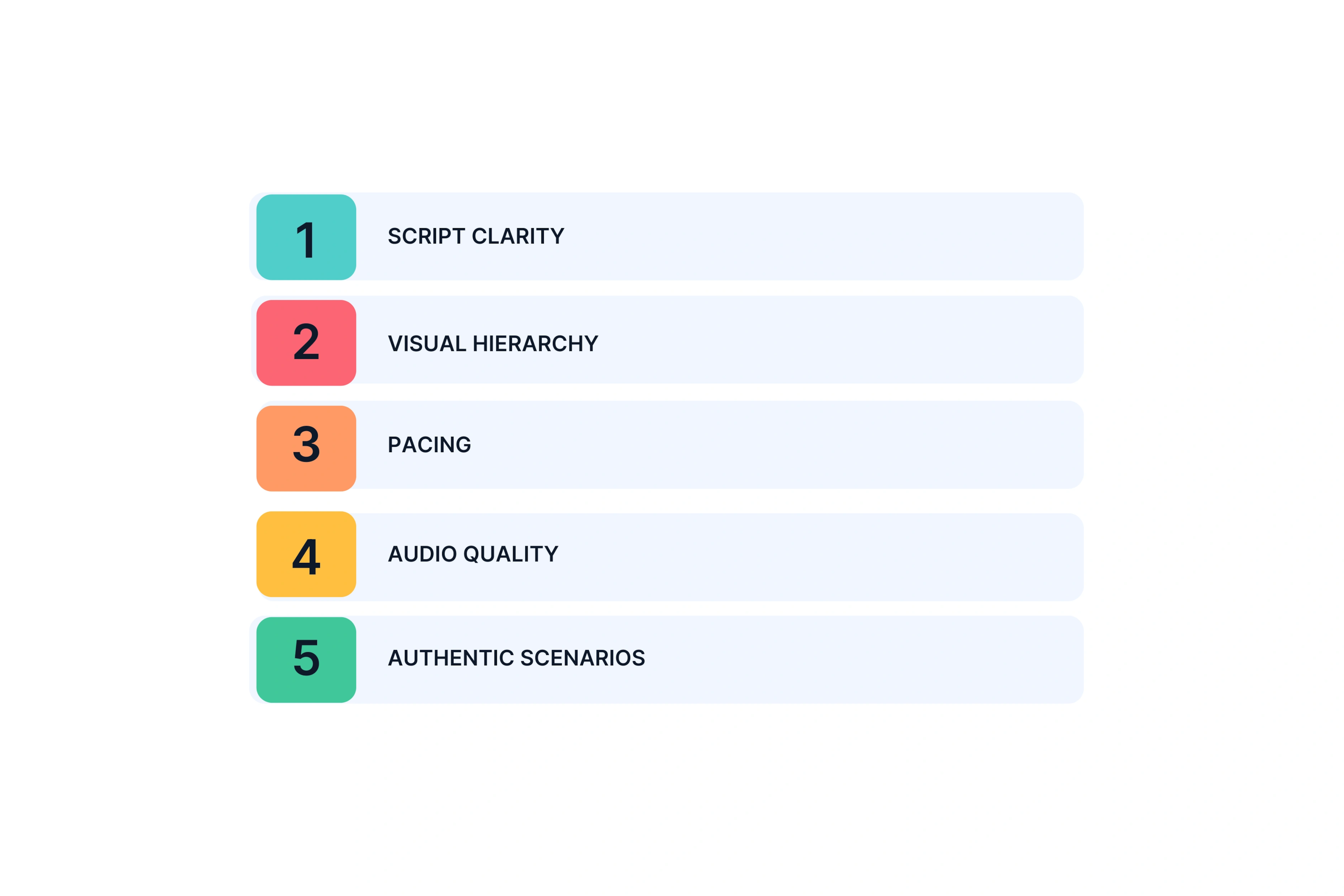
Script clarity tops the list. Every word needs to earn its place. Cut the fluff. Your message should be crystal clear.
Visual hierarchy guides where viewers look. Use arrows pointing to key features. Highlight important buttons. Zoom in on details that matter. Your audience should never wonder where to focus.
Pacing needs to match your content. Simple concepts move faster. Complex workflows slow down. Match energy to what you are showing.
Audio quality beats fancy background music every time. Consumer research shows thatpoor audio quality can reduce perceived professionalism and trust by 30–50%, even if the visuals are high‑end, which is why clear narration is the single most important production element. Clear narration matters most. People forgive average visuals if they can hear and understand you perfectly.
Authentic scenarios win over polished sterility. Show real life context. Messy desks. Actual workflows. Real problems getting solved.
Medium Impact Elements
Background music sets tone but should not distract. Keep it soft, instrumental, and brand appropriate.
Smooth transitions work. Flashy ones distract. On screen text helps viewers watching without sound. Color grading gives a professional look for brand videos but matters less for software demos.
Low Impact Elements
Skip these unless you have extra budget. Cinematic b roll only matters for lifestyle product videos. Multiple camera angles for talking heads add little value. Fancy motion graphics that do not clarify anything waste money. 4K resolution sounds nice but 1080p works fine for most use cases.
For Screen-Based Software
Clean up your demo interface before recording. No messy toolbars. No irrelevant browser tabs. Zoom in to show specific features without overwhelming the full screen. Keep cursor movements purposeful, not erratic. Show keyboard shortcuts only if they are a major selling point.
For Physical Products and Apps
High quality visuals matter more here. Follow product photography standards. Show the product in use, not sitting on white background. For apps, display on actual devices, not mockups. Add lifestyle context. A person using a meditation app in their real bedroom beats a studio setup.
Focus your budget on high impact elements. Your demonstration video will convert better when you prioritize what actually matters to potential users.
Modern Approaches to Creating Product Demo Videos
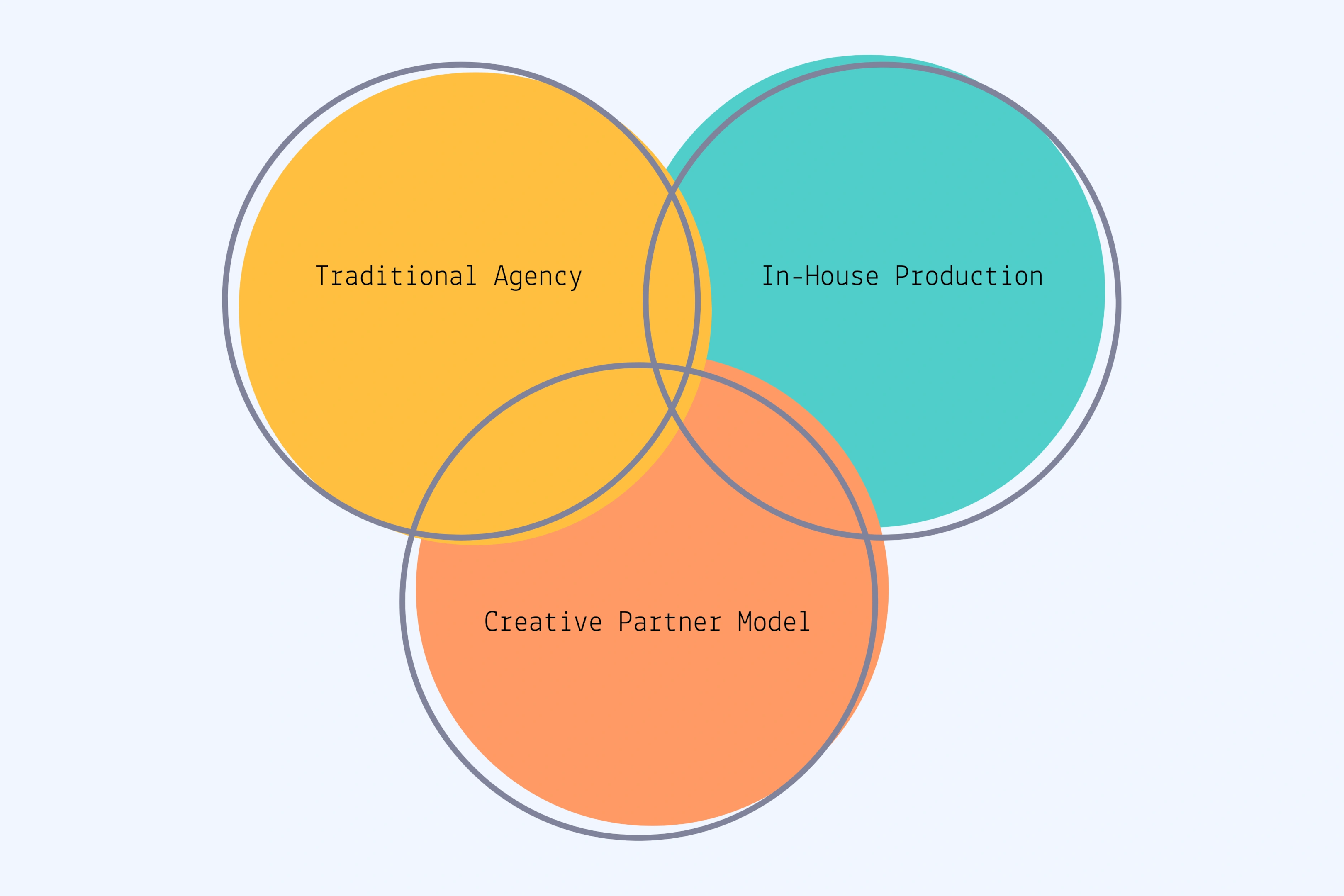
You have three main options for producing product demo videos. Each fits different needs and budgets.
Three Ways Teams Produce Demos Today
Approach 1: Traditional Agency
Timeline: 4 to 8 weeks from brief to final video Cost: $5,000 to $50,000+ depending on complexity
Traditional agencies deliver high production values through multiple revision rounds and extensive planning. This works for high stakes product launches with major budgets, brand video content for national campaigns, or complex software solutions needing deep understanding.
The limitations? Speed kills testing. Creating multiple versions for A/B testing gets expensive fast. Changes after production starts cost extra. Rigidity and slow iteration make agencies tough for ongoing content needs.
Approach 2: In-House Production
Timeline: 2 to 4 weeks depending on team bandwidth Cost: Internal resources plus editing software and equipment
Your team handles scripting, recording, and editing. This fits teams with dedicated video resources, ongoing content needs like frequent product updates, or situations where brand authenticity beats polish.
The challenges? Expertise gaps in writing, editing, and motion graphics. Quality varies based on who is available. Production pulls your team from core marketing work. Technical barriers create learning curves.
Approach 3: Creative Partner Model
Timeline: 3 to 7 days from brief to final video Cost: Significantly lower than agencies with maintained quality. Recent surveys show that 70–80% of marketers now need video content in days, not weeks, which is why creative partner models that deliver in 3–7 days are becoming the default for scaling demo videos.
A creative partner delivers end-to-end production. You provide product details, target audience info, and goals. They provide script recommendations, production, revisions, and strategic feedback. You receive finished product demo videos ready to deploy.
This model works for teams scaling video content across campaigns, marketing leaders wanting strategic guidance beyond execution, and brands needing professional quality without agency timelines.
The economics support creating multiple versions for A/B testing. You can test different pain points, angles, and calls to action without breaking budgets.
Where AI Fits
Modern creative partners use AI for repetitive tasks. Script variations. Testing versions. UGC style content creation. This cuts time and cost.
But strategic elements stay human. Understanding customer pain points. Knowing which core features to highlight. Crafting narratives that resonate. Ensuring brand alignment and authenticity.
This combines human creative strategy with efficient production workflows. Not generic AI generated demos. Real strategy with modern tools.
Comparison Table: Which Approach Fits Your Needs?
Factor
Traditional Agency
In-House
Creative Partner
Timeline
4–8 weeks
2–4 weeks
3–7 days
Cost
$15K–$50K+
Internal time + tools
Significantly lower than agency
Quality
Highest polish
Varies widely
Professional, authentic
Strategic Input
High (if you pay for it)
Limited (relies on your team)
Included as standard
Revision Flexibility
Limited (expensive)
High (but time-consuming)
High (built into process)
Best for Testing
❌ Too expensive to test multiple versions
⚠️ Possible but resource-intensive
✅ Economics support A/B testing
Scalability
❌ Doesn’t scale affordably
⚠️ Limited by team capacity
✅ Designed for volume
Learning Curve
None (they handle it)
High (tools + best practices)
None (turnkey delivery)
The Testing and Learning Mindset
Stop chasing the perfect demo. Successful teams build several versions and watch which one converts better.
Worth testing:
Pain points: Does your audience care more about saving time, cutting costs, or improving teamwork?
Duration: Short clips for social vs. longer explanations for your website
Which capabilities you spotlight: Do they want automation, connections to other tools, or analytics?
Feel and format: Serious tone or friendly? Animation or real screens?
What you ask them to do: Try it free, book a call, or check pricing?
Getting this testing done requires the right setup. Maybe that means partnering with a creative team, working with a flexible agency, or building skills internally. The key is speed. You need to create variations quickly and learn from actual viewer behavior instead of guessing what might work.
Getting Your Demo Video Deployed Effectively
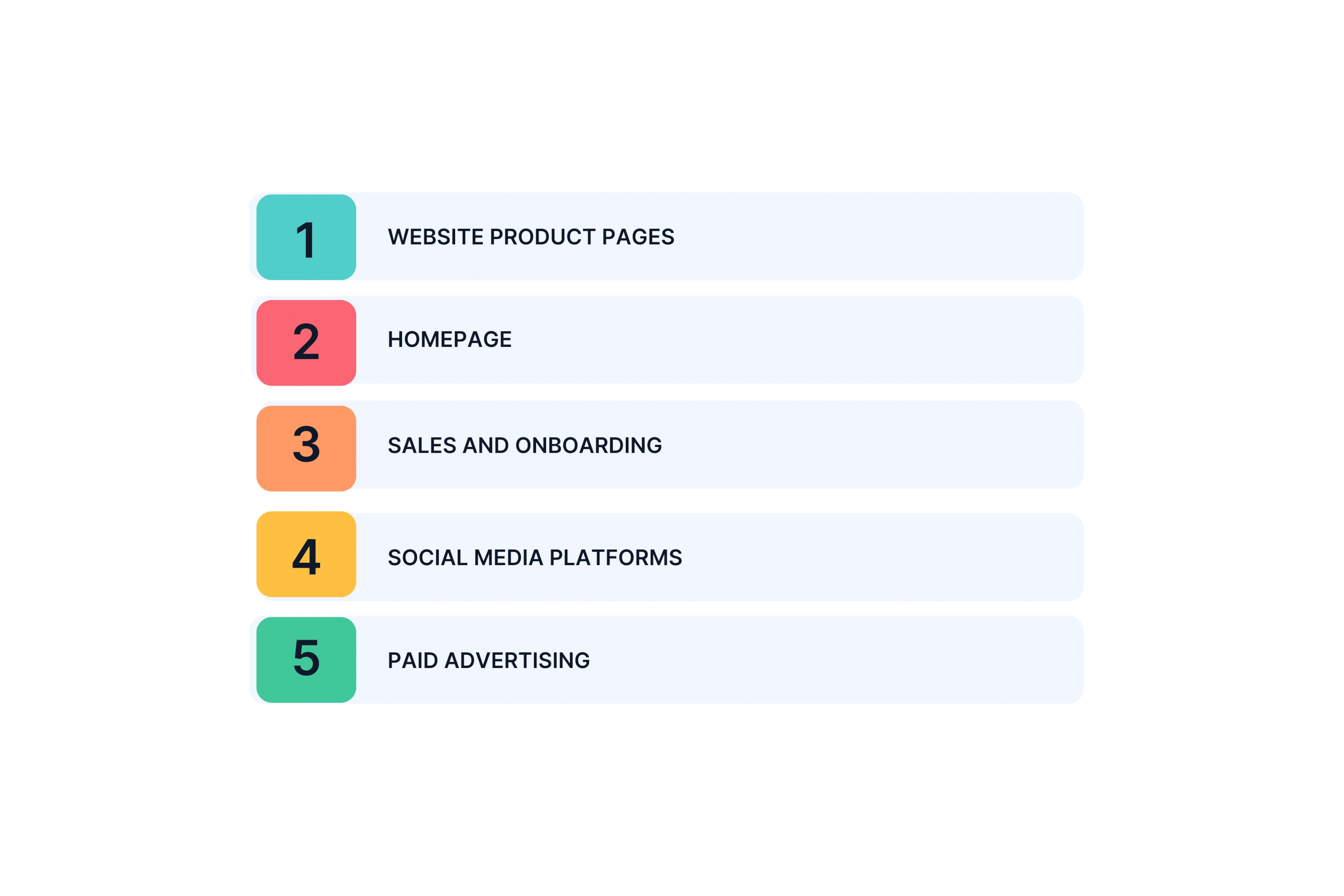
Creating a great demo means nothing if nobody sees it. Here is where to place your product demo videos for maximum impact.
Website Product Pages
Your product page is where purchase decisions happen. Place your demo in the hero section, above the fold. Set it to autoplay muted with captions so visitors engage immediately without sound blasting.
Keep this version 90 seconds to 2 minutes. Your goal: turn browsers into trial sign-ups or demo requests. This placement converts because people already came looking for solutions.
Homepage
Single product company? Feature your demo prominently on the homepage. Multiple products? Keep it short, 30 to 45 seconds, or use an explainer video instead.
Smart teams create different versions for first time visitors versus returning users. New visitors need the problem and solution. Returning visitors might want feature depth or pricing details.
Sales and Onboarding
Embed demos in sales decks for consistent messaging across your team. Every rep shows the same strong points. Add demos to onboarding emails for user education with new sign-ups. Include context specific demos in help documentation so users learn features when they need them.
Social Media Platforms
Social needs different cuts. Maximum 30 to 60 seconds. Format matters by platform. Vertical for Stories and TikTok. Square for Instagram feed. LinkedIn accepts horizontal.
Captions are mandatory. 80% of people watch without sound. Your hook must work in the first 3 seconds. Social algorithms punish videos where people bounce fast.
Paid Advertising
Create different demos for cold versus warm audiences. Cold audiences need problem focused hooks and broad value propositions. Warm audiences already know you exist, so show specific features.
Test multiple variations here. Paid advertising is where A/B testing delivers clear ROI. Track which version drives lower cost per conversion.
Quick Wins Most Teams Miss
Add captions for accessibility and mobile viewing. Create a thumbnail showing it is a demo, not a generic blog image. Place your CTA button directly below the video embed. Track where viewers drop off so you can adjust pacing in version two.
Deploy smart and your demonstration video reaches the right people at the right moment.
FAQs
What makes a good product demo video?
A good demo addresses a pain point in the first 10 seconds, shows 2 to 3 core features in real scenarios, and ends with a clear call to action. Keep it 60 to 90 seconds for social or 90 seconds to 2 minutes for your website. Authentic beats overly polished.
How long should a product demonstration video be?
Social media: 30 to 60 seconds maximum. Website product pages: 90 seconds to 2 minutes. In-depth software demos: 2 to 4 minutes with pause points. Most viewers decide within 30 seconds if they will keep watching, so front-load your value.
What should I include in a software demo video?
Start with the pain point your software solves. Show 2 to 3 core features with actual screen recordings in real life scenarios. Demonstrate the workflow in daily operations. Add brief social proof. End with a clear call to action. Skip lengthy technical details unless they are your main differentiator.
What are common mistakes in product demo videos?
Six mistakes kill demos: feature dumping instead of solving problems, no clear call to action, wrong length for the platform, sterile screen recordings without context, weak opening that loses viewers in 10 seconds, and generic scenarios that do not match real workflows. The biggest mistake? Treating demos as one-time projects instead of testing and learning.
How much does it cost to create a product demo video?
Traditional agencies: $5,000 to $50,000+ with 4 to 8 week timelines. In-house production: $3,000 to $10,000 in real resource cost plus team time. Creative partner approach: Significantly lower than agencies with 3 to 7 day delivery, making multiple test versions economical.
Can I use AI to create product demo videos?
Yes, but AI handles efficiency tasks like script variations and test versions. Human strategy still matters for understanding your audience, deciding which features to emphasize, and ensuring brand alignment. The best approach combines AI efficiency with creative expertise through a partner model, not DIY tools producing generic results.
Should I create multiple versions of my demo video?
Yes. Test different pain points, lengths, feature emphasis, tones, and calls to action. Modern creative partner approaches make this affordable. Testing shows what works instead of guessing. Plan for 3 to 5 variations minimum if running paid campaigns.
What works better for software demos: screen recordings or animated videos?
Screen recordings work best for showing real interfaces and step-by-step usage. Animated videos work better for abstract concepts like cloud storage or complex solutions. The best demos often combine both: animation for concepts, screen recordings for actual product demonstration.
Where should I place my product demo video?
Website product pages in the hero section. Homepage if you are a single-product company. Social media with shorter 30 to 60 second cuts and captions. Paid ads with different versions for cold versus warm audiences. Sales decks and onboarding emails for consistent messaging.
How do I measure if my demo video is working?
Track engagement: watch time, drop-off points, completion rate. Track action: click-through rate, conversion rate, time from view to conversion. Track business impact: sales cycle length, support question reduction, onboarding time. Run A/B tests to learn what resonates with your audience.
What This Means for Teams Scaling Video Content
The shift in demo video production is about mindset, not tools.
Old approach: Spend months creating one perfect demo. Launch it. Hope it works. Wait a year to try again.
Modern approach: Create strategic variations fast. Test with real audiences. Learn what works. Iterate based on data, not guesses.
Winning teams treat demos as living content. They create versions for different pain points and platforms. They let watch time and conversions guide changes. They update demos when launching new features.
The goal is not perfection. It is clarity, relevance, and continuous improvement based on how your audience actually responds.
Let's Turn Your Scripts into Stunning Videos. Sign Up Now.
Stop struggling with video creation. Our AI simplifies the process, letting you create professional-looking videos from text in record time. Try it for free today!
You need a product demo video that turns viewers into customers. But most demos fail because they dump features instead of solving problems. Your audience stops watching after 10 seconds if you don't show them why they should care.
The good news? You can fix this. This guide breaks down 10 product demo videos that actually work. You will see what makes them convert, what mistakes to avoid, and how to structure your own demo. By the end, you will know exactly what to include and what to cut.
Key Takeaways
Solve Problems First: Product demo videos work when you focus on customer outcomes, not feature lists.
Follow Simple Structure: The best demos use this flow: problem, solution, proof, action.
Keep It Short: Plan for 60 to 90 seconds on social media platforms and 2 to 3 minutes on your website. Data shows that 50% of viewers drop off within the first 10–15 seconds of a video, which is why keeping your demo tight and front‑loading value is non‑negotiable.
Show Real Scenarios: Great product demonstration videos show real life use cases, not empty screen recordings.
Speed Matters Now: Creative partner approaches cut production time from weeks to days without losing quality. Recent surveys show that 70–80% of marketers now need video content in days, not weeks, which is why creative partner models that deliver in 3–7 days are becoming the default for scaling demo videos.
Test Multiple Versions: Create different versions so you can run A/B tests and learn what your target audience responds to.
What Makes a Product Demo Video Actually Work
Most demos fail because they explain what the product does instead of what problem it solves. Your video needs to show outcomes, not features.
Understanding Your Target Audience First
You cannot create a good demo without knowing your audience. Every decision in your video should start with one question: what pain point does this solve for them?
Map your demo to where the viewer is in their journey. A potential customer who just discovered your product needs different information than an existing user exploring new features. The first group wants to know if you solve their problem. The second group wants to know how to use what they already bought.
What drives your creative choices:
Customer pain points come before product features
Show the workflow your audience actually uses
Skip jargon your target audience does not understand
The Core Framework Every Demo Needs
Every effective product demonstration video follows four parts: problem, solution, proof, action.
Your opening hook (0 to 10 seconds) must address a pain point. Do not start with your company name. Start with the problem your viewer faces every day. Studies show that viewers decide whether to keep watching within the first 10–15 seconds, so your hook must immediately signal relevance to their pain point.
Solution demonstration (10 to 60 seconds) shows your core features in action. Focus on 2 to 3 features that solve the main problem. Do not show every button and menu.
Social proof (60 to 75 seconds) adds credibility. Share results from existing users or real data. Examples: "Teams save 10 hours per week" or "Customers report 34% higher conversions."
Clear call to action (75 to 90 seconds) tells viewers what to do next. Match the action to their intent: free trial, book demo, or see pricing.
Take Slack's demo video. It works because it shows real workflow scenarios. You see teams communicating in channels, sharing files, and connecting tools they already use. Slack never lists technical details. They show you solving your daily communication chaos.
10 Product Demo Video Examples That Get It Right
We studied hundreds of product videos. These 10 demos actually convert. Here is what they do right.
1. Slack – Team Communication Software Demo Video
Slack's demo runs 1 minute and 47 seconds. It shows file sharing, idea sharing, and workflow automation without feeling like a tutorial.
The video opens with a problem you know. Your team juggles too many tools. Messages get lost. Work feels chaotic. Then you see real people using Slack. The screen recordings look authentic, not staged. You see channels organizing conversations. You see apps connecting. Small arrows point out what matters.
What works:
Opens with chaos teams face every day
Shows real workflows, not clean demos
Proves integrations solve problems without listing features
Ends with simple call: see how your team works better
Key lesson: Context beats features. Slack does not say "we have 2,000 integrations." They show you escaping communication chaos.
2. Loom – Async Video Messaging (SaaS Product Demo Video)
Loom used their own tool to make their demo. Smart move. The 1 minute and 23 second product demonstration video shows what you get by using what they sell.
It starts with a pain point. Meetings waste your time. Then someone records their screen with a camera bubble. You get the value in under two minutes. Loom skips complex features. The demo touches on different uses. Design feedback. Teaching. Sharing ideas.
Why it works:
Solves one clear problem fast
The product demonstrates itself
Shows versatility without overwhelming you
Real over polished
Key lesson: Show, do not tell. When you make a communication tool, use it to communicate. Your viewers see exactly what they will experience.
3. Asana – Project Management Software Demo
Asana mixes live video and screen recordings in their 2 minute and 14 second demo. This combo shows before and after clearly.
The opening question lands. How many projects die in your email inbox? Then Asana walks through a marketing campaign. You see how different teams use it. Tasks move from person to person naturally. The focus stays on outcomes. Projects get done on time.
What makes it effective:
Universal pain point hooks you fast
Shows teams working together, not solo work
Results matter more than features
Format variety keeps attention
Key lesson: Show how different roles use your product together. Viewers need to picture their whole team using it, not just themselves.
4. Shopify – E-commerce Platform Demo
Shopify targets one audience. People who want to sell online. The 1 minute and 55 second product demo walks from store setup to first sale.
You follow the complete journey. Customer stories mix with screen recordings. You see desktop and mobile. Shopify kills the biggest objection directly. No coding needed. Background music keeps energy up.
What it does right:
Speaks to specific audience from frame one
Shows the full customer journey
Removes fear with facts
Proves it works on all devices
Key lesson: Kill the fear stopping your audience. Shopify makes "launch an online store" feel possible in under two minutes.
5. Notion – Workspace Software Solution
Notion's demo runs 1 minute and 38 seconds. Instead of showing everything, you watch one team solve one problem. They manage their content calendar.
You see real projects. Real deadlines. Not empty templates. Notion shows different views of the same work. Text overlays reinforce each point. One tight story makes a complex tool feel simple.
Why this works:
One relatable scenario instead of many shallow ones
Real examples with actual content
Smart design guides your eye
Hints at power without showing everything
Key lesson: Pick one scenario your best customers face. Make it real. Do not try to show every use case.
6. Headspace – Meditation App Demo
Headspace fits everything into 47 seconds. Perfect for social media platforms. The video names stress right away. Then shows the app creating calm.
You see friendly animations. Soothing colors. A real person shares results. The call to action is simple. Start your free trial. Everything matches the brand feeling.
What makes it engaging:
Right length for social sharing
Shows transformation, not features
Real testimonial builds trust
Content style matches product experience
Key lesson: Show the change your app creates. For wellness apps, emotional transformation beats feature lists every time.
Dropbox created a 2 minute and 16 second demo using animation. No screen recordings. This works because you cannot see cloud storage happening.
The problem is universal. Lost files. Version confusion. Then Dropbox shows personal backup, team sharing, and client access. All explained in plain language. No jargon.
Why it became a standout example:
Animation clarifies invisible technology
Shows different user types quickly
Technical ideas in simple words
Set the standard others follow
Key lesson: When your product does invisible work, animation explains it better than trying to film something people cannot see.
8. Grammarly – Writing Assistant Software Demo
Grammarly's 1 minute and 29 second SaaS product demo video shows the product everywhere people write. Email. Documents. Social posts. Split screens prove value.
You watch Grammarly work across Gmail, Google Docs, and websites. It calls out specific problems. Unclear tone. Grammar errors. Real data backs claims. Users make 10 times fewer errors.
Why this software demo works:
Shows product in multiple real places
Split screen proves value immediately
Names exact problems it fixes
Data supports every claim
Key lesson: If your tool works everywhere, prove it. Show it in all the places your audience already works.
9. Calendly – Scheduling Software Demo Video
Calendly's entire 1 minute and 12 second demo solves one problem. Scheduling emails waste time. You see both sides. The scheduler and the person booking.
Real screen recordings show the actual flow. Calendar integrations appear early. The payoff is clear. Save 10 hours per week.
Why focus wins:
Owns one problem completely
Shows both user perspectives
Makes key integrations obvious early
Quantifies time saved
Key lesson: If you solve one specific pain, own it completely. Do not dilute your message trying to be everything.
10. Canva – Design Platform Product Video
Canva's 1 minute and 44 second video shows transformation. Blank canvas to professional design in seconds. You watch real creation happen, not static screens.
Multiple use cases flash by. Social posts. Presentations. Brand materials. Canva addresses the main fear. You do not need design skills. The template library answers "where do I start?" Bright visuals match what you can create.
What this product launch video proves:
Shows blank to beautiful journey
Multiple outputs show range fast
Kills main objection directly
Demo quality matches output quality
Key lesson: Your demo should showcase what users can make. If your demo looks basic, viewers assume their results will be too.
These 10 product demo video examples follow patterns you can copy. Each walks the customer journey from problem to solution. They focus on outcomes, not features. Study what works here and apply it to your demo.
Comparison Table: What These Demos Have in Common
Element
% of Demos Using It
Why It Matters
Opens with customer pain point
100% (10/10)
Hooks viewers immediately and establishes relevance
Real-life scenarios (not sterile demos)
90% (9/10)
Helps potential customers picture themselves using it
Common Product Demo Mistakes (And How to Avoid Them)
We watched hundreds of product demo videos to find what kills conversions. Here are the 6 mistakes that ruin demos and how to fix them.
1. Feature Dumping Over Problem Solving
You list every feature in a 4 minute tour. Your viewers get lost trying to figure out what matters to them. Their brains overload. They click away.
The fix: Pick 2 to 3 key features that solve specific problems. Skip the rest.
Bad example: "We have 47 integrations and 12 dashboard views." Good example: "Connects with Slack and Google Drive, the tools you use every day."
Your product demonstration video should solve problems, not showcase your entire feature list. Potential users care about their pain points, not your complete roadmap.
2. No Clear Call to Action
Your demo video ends with "Learn more at our website" or just fades to your logo. Interested viewers sit there wondering what to do next. The momentum dies. You lose the conversion.
The fix: Tell viewers exactly what to do next based on where they are. Start free trial. Book a demo. See pricing.
Strong calls to action include urgency or remove friction: "Start your free 14 day trial, no credit card required." This beats vague requests like "visit our site to learn more."
Great product demo video examples always end with one clear next step. Not three options. Not a menu. One action.
Sales presentations: 2 to 4 minutes with pause points
A short video wins on social. A longer demonstration video works on your website where people came to learn. Just a few minutes always beats trying to be comprehensive.
Think about user engagement patterns. People scroll fast on social. They research deeply on your site. Your video marketing strategy needs different cuts for different places.
4. Screen Recordings Without Context
Your product demonstration shows clicks through an empty interface. Project names say "Project 1" and "Task A." Users see a sterile demo that feels fake. They cannot picture using it in real life.
The fix: Fill your demo with realistic details. Real project names. Actual user names. Believable data.
Bad: "Project 1" with "Task A" and "Task B" Good: "Q4 Marketing Campaign" with "Draft blog post by Friday"
When viewers see realistic examples, they picture themselves using your product. Empty screens create distance. Real scenarios create connection. This applies whether you use live action video or screen captures.
5. Weak Opening
You start with "Hi, I am Sarah from TechCo, and today I will show you our platform." You lost 40% of viewers in those first 10 seconds. Research shows that generic intros like ‘Hi, I’m from X’ can cause 30–50% of viewers to drop off in the first 10 seconds, while pain‑point hooks retain 2–3× more viewers. They bounced before seeing your solution.
The fix: Open with the pain point or the transformation you deliver.
Bad: "Welcome to our product demo. Let me introduce our team and company history." Good: "Spending 10 hours a week on manual data entry? Here is how to get that time back."
Slack's demo opens with "Your team's brain is scattered across 10 different tools." Instantly relatable. Your potential users recognize their own chaos.
The first 10 seconds determine if people keep watching your engaging videos or click away. Make those seconds about them, not you.
6. Ignoring Real Workflow
Your demo shows an idealized world. Perfect data. Clean processes. No chaos. Viewers think "That is not how we actually work." They disengage because your product demo feels disconnected from their reality.
The fix: Do user research before you script. Show the messy reality first. Then show how your product fits into actual daily work.
A great example: Show the overflowing inbox first. The missed deadlines. The confusion. Then demonstrate how your tool solves that specific chaos. Do not show a perfect world that never existed.
Product demo video examples that convert show real problems before sleek visuals of the solution. The contrast matters. Messy before, organized after.
Quick Check: Is Your Demo Making These Mistakes?
Watch your current demo video and ask:
Do you list features or solve problems?
Does it end with a clear action or vague suggestion?
Is the length right for where it lives?
Does it show realistic scenarios or empty templates?
Do the first 10 seconds hook or introduce?
Does it match real workflows or idealized ones?
Fix these 6 mistakes and your product demo videos will drive better user engagement. Most teams make at least 3 of these errors. The good news? All 6 are fixable without reshooting everything.
When you boost brand awareness with a good product demo video, you focus on what matters to viewers. Their problems. Their workflow. Their next step. Not your feature count or company history.
These lessons come from studying both failures and successes. The patterns are clear. Avoid these mistakes and your demonstration video will convert viewers into customers.
How to Structure Your Product Demonstration Video (Step-by-Step)
Every good product demo video follows the same basic structure. Four parts. 90 seconds to 2 minutes total. Here is what goes in each section.
Start with the pain point. Never start with "Hi, I am from Company X." You lose 40% of viewers with that opener.
Use a pattern interrupt. A surprising stat. A relatable frustration. A bold statement.
Examples that work:
"Your team sent 847 emails last week just to schedule 12 meetings"
"The average marketer switches between 17 tools per day"
Show a cluttered inbox, a missed deadline alert, or a frustrated user
Your goal: Make viewers think "That is exactly my problem."
Part 2: The Solution (10 seconds to 1 minute)
Now introduce your product as the answer. Show 2 to 3 core features in real life scenarios. Not a feature list. Not every button.
Use actual screen recordings with realistic data. Show the workflow in daily routine. Visual clarity matters here. Clean interface. Small graphic overlays pointing out key details. Smooth transitions between screens.
Keep technical details minimal. Focus on outcomes. What does your product help them accomplish?
Part 3: The Proof (1 minute to 1 minute 30 seconds)
Add social proof. Show existing users experiences. Share customer success numbers.
Examples:
"Teams save 10 hours per week"
"Increased conversions by 34%"
Brief customer testimonial
Before and after comparison
You can also show versatility here. Different use cases. Different industries using your product.
Part 4: The Action (1 minute 30 seconds to 1 minute 45 seconds)
End with a clear call to action. Match it to viewer intent.
Remove friction: "Start free, no credit card required."
Add urgency if it fits: "Join 10,000 teams already saving time."
Show the CTA on screen while you say it verbally. Double reinforcement works.
Total length: 90 seconds to 2 minutes keeps user engagement high. Longer loses attention. Shorter misses key details.
This structure works for product demo video examples across industries. It guides potential users from recognizing their problem to taking action. Follow this framework and your demonstration video will convert.
Production Elements That Actually Matter
Not all production choices affect conversions equally. Here is what actually moves the needle in your product demo videos.
High Impact Elements
Script clarity tops the list. Every word needs to earn its place. Cut the fluff. Your message should be crystal clear.
Visual hierarchy guides where viewers look. Use arrows pointing to key features. Highlight important buttons. Zoom in on details that matter. Your audience should never wonder where to focus.
Pacing needs to match your content. Simple concepts move faster. Complex workflows slow down. Match energy to what you are showing.
Audio quality beats fancy background music every time. Consumer research shows thatpoor audio quality can reduce perceived professionalism and trust by 30–50%, even if the visuals are high‑end, which is why clear narration is the single most important production element. Clear narration matters most. People forgive average visuals if they can hear and understand you perfectly.
Authentic scenarios win over polished sterility. Show real life context. Messy desks. Actual workflows. Real problems getting solved.
Medium Impact Elements
Background music sets tone but should not distract. Keep it soft, instrumental, and brand appropriate.
Smooth transitions work. Flashy ones distract. On screen text helps viewers watching without sound. Color grading gives a professional look for brand videos but matters less for software demos.
Low Impact Elements
Skip these unless you have extra budget. Cinematic b roll only matters for lifestyle product videos. Multiple camera angles for talking heads add little value. Fancy motion graphics that do not clarify anything waste money. 4K resolution sounds nice but 1080p works fine for most use cases.
For Screen-Based Software
Clean up your demo interface before recording. No messy toolbars. No irrelevant browser tabs. Zoom in to show specific features without overwhelming the full screen. Keep cursor movements purposeful, not erratic. Show keyboard shortcuts only if they are a major selling point.
For Physical Products and Apps
High quality visuals matter more here. Follow product photography standards. Show the product in use, not sitting on white background. For apps, display on actual devices, not mockups. Add lifestyle context. A person using a meditation app in their real bedroom beats a studio setup.
Focus your budget on high impact elements. Your demonstration video will convert better when you prioritize what actually matters to potential users.
Modern Approaches to Creating Product Demo Videos
You have three main options for producing product demo videos. Each fits different needs and budgets.
Three Ways Teams Produce Demos Today
Approach 1: Traditional Agency
Timeline: 4 to 8 weeks from brief to final video Cost: $5,000 to $50,000+ depending on complexity
Traditional agencies deliver high production values through multiple revision rounds and extensive planning. This works for high stakes product launches with major budgets, brand video content for national campaigns, or complex software solutions needing deep understanding.
The limitations? Speed kills testing. Creating multiple versions for A/B testing gets expensive fast. Changes after production starts cost extra. Rigidity and slow iteration make agencies tough for ongoing content needs.
Approach 2: In-House Production
Timeline: 2 to 4 weeks depending on team bandwidth Cost: Internal resources plus editing software and equipment
Your team handles scripting, recording, and editing. This fits teams with dedicated video resources, ongoing content needs like frequent product updates, or situations where brand authenticity beats polish.
The challenges? Expertise gaps in writing, editing, and motion graphics. Quality varies based on who is available. Production pulls your team from core marketing work. Technical barriers create learning curves.
Approach 3: Creative Partner Model
Timeline: 3 to 7 days from brief to final video Cost: Significantly lower than agencies with maintained quality. Recent surveys show that 70–80% of marketers now need video content in days, not weeks, which is why creative partner models that deliver in 3–7 days are becoming the default for scaling demo videos.
A creative partner delivers end-to-end production. You provide product details, target audience info, and goals. They provide script recommendations, production, revisions, and strategic feedback. You receive finished product demo videos ready to deploy.
This model works for teams scaling video content across campaigns, marketing leaders wanting strategic guidance beyond execution, and brands needing professional quality without agency timelines.
The economics support creating multiple versions for A/B testing. You can test different pain points, angles, and calls to action without breaking budgets.
Where AI Fits
Modern creative partners use AI for repetitive tasks. Script variations. Testing versions. UGC style content creation. This cuts time and cost.
But strategic elements stay human. Understanding customer pain points. Knowing which core features to highlight. Crafting narratives that resonate. Ensuring brand alignment and authenticity.
This combines human creative strategy with efficient production workflows. Not generic AI generated demos. Real strategy with modern tools.
Comparison Table: Which Approach Fits Your Needs?
Factor
Traditional Agency
In-House
Creative Partner
Timeline
4–8 weeks
2–4 weeks
3–7 days
Cost
$15K–$50K+
Internal time + tools
Significantly lower than agency
Quality
Highest polish
Varies widely
Professional, authentic
Strategic Input
High (if you pay for it)
Limited (relies on your team)
Included as standard
Revision Flexibility
Limited (expensive)
High (but time-consuming)
High (built into process)
Best for Testing
❌ Too expensive to test multiple versions
⚠️ Possible but resource-intensive
✅ Economics support A/B testing
Scalability
❌ Doesn’t scale affordably
⚠️ Limited by team capacity
✅ Designed for volume
Learning Curve
None (they handle it)
High (tools + best practices)
None (turnkey delivery)
The Testing and Learning Mindset
Stop chasing the perfect demo. Successful teams build several versions and watch which one converts better.
Worth testing:
Pain points: Does your audience care more about saving time, cutting costs, or improving teamwork?
Duration: Short clips for social vs. longer explanations for your website
Which capabilities you spotlight: Do they want automation, connections to other tools, or analytics?
Feel and format: Serious tone or friendly? Animation or real screens?
What you ask them to do: Try it free, book a call, or check pricing?
Getting this testing done requires the right setup. Maybe that means partnering with a creative team, working with a flexible agency, or building skills internally. The key is speed. You need to create variations quickly and learn from actual viewer behavior instead of guessing what might work.
Getting Your Demo Video Deployed Effectively
Creating a great demo means nothing if nobody sees it. Here is where to place your product demo videos for maximum impact.
Website Product Pages
Your product page is where purchase decisions happen. Place your demo in the hero section, above the fold. Set it to autoplay muted with captions so visitors engage immediately without sound blasting.
Keep this version 90 seconds to 2 minutes. Your goal: turn browsers into trial sign-ups or demo requests. This placement converts because people already came looking for solutions.
Homepage
Single product company? Feature your demo prominently on the homepage. Multiple products? Keep it short, 30 to 45 seconds, or use an explainer video instead.
Smart teams create different versions for first time visitors versus returning users. New visitors need the problem and solution. Returning visitors might want feature depth or pricing details.
Sales and Onboarding
Embed demos in sales decks for consistent messaging across your team. Every rep shows the same strong points. Add demos to onboarding emails for user education with new sign-ups. Include context specific demos in help documentation so users learn features when they need them.
Social Media Platforms
Social needs different cuts. Maximum 30 to 60 seconds. Format matters by platform. Vertical for Stories and TikTok. Square for Instagram feed. LinkedIn accepts horizontal.
Captions are mandatory. 80% of people watch without sound. Your hook must work in the first 3 seconds. Social algorithms punish videos where people bounce fast.
Paid Advertising
Create different demos for cold versus warm audiences. Cold audiences need problem focused hooks and broad value propositions. Warm audiences already know you exist, so show specific features.
Test multiple variations here. Paid advertising is where A/B testing delivers clear ROI. Track which version drives lower cost per conversion.
Quick Wins Most Teams Miss
Add captions for accessibility and mobile viewing. Create a thumbnail showing it is a demo, not a generic blog image. Place your CTA button directly below the video embed. Track where viewers drop off so you can adjust pacing in version two.
Deploy smart and your demonstration video reaches the right people at the right moment.
FAQs
What makes a good product demo video?
A good demo addresses a pain point in the first 10 seconds, shows 2 to 3 core features in real scenarios, and ends with a clear call to action. Keep it 60 to 90 seconds for social or 90 seconds to 2 minutes for your website. Authentic beats overly polished.
How long should a product demonstration video be?
Social media: 30 to 60 seconds maximum. Website product pages: 90 seconds to 2 minutes. In-depth software demos: 2 to 4 minutes with pause points. Most viewers decide within 30 seconds if they will keep watching, so front-load your value.
What should I include in a software demo video?
Start with the pain point your software solves. Show 2 to 3 core features with actual screen recordings in real life scenarios. Demonstrate the workflow in daily operations. Add brief social proof. End with a clear call to action. Skip lengthy technical details unless they are your main differentiator.
What are common mistakes in product demo videos?
Six mistakes kill demos: feature dumping instead of solving problems, no clear call to action, wrong length for the platform, sterile screen recordings without context, weak opening that loses viewers in 10 seconds, and generic scenarios that do not match real workflows. The biggest mistake? Treating demos as one-time projects instead of testing and learning.
How much does it cost to create a product demo video?
Traditional agencies: $5,000 to $50,000+ with 4 to 8 week timelines. In-house production: $3,000 to $10,000 in real resource cost plus team time. Creative partner approach: Significantly lower than agencies with 3 to 7 day delivery, making multiple test versions economical.
Can I use AI to create product demo videos?
Yes, but AI handles efficiency tasks like script variations and test versions. Human strategy still matters for understanding your audience, deciding which features to emphasize, and ensuring brand alignment. The best approach combines AI efficiency with creative expertise through a partner model, not DIY tools producing generic results.
Should I create multiple versions of my demo video?
Yes. Test different pain points, lengths, feature emphasis, tones, and calls to action. Modern creative partner approaches make this affordable. Testing shows what works instead of guessing. Plan for 3 to 5 variations minimum if running paid campaigns.
What works better for software demos: screen recordings or animated videos?
Screen recordings work best for showing real interfaces and step-by-step usage. Animated videos work better for abstract concepts like cloud storage or complex solutions. The best demos often combine both: animation for concepts, screen recordings for actual product demonstration.
Where should I place my product demo video?
Website product pages in the hero section. Homepage if you are a single-product company. Social media with shorter 30 to 60 second cuts and captions. Paid ads with different versions for cold versus warm audiences. Sales decks and onboarding emails for consistent messaging.
How do I measure if my demo video is working?
Track engagement: watch time, drop-off points, completion rate. Track action: click-through rate, conversion rate, time from view to conversion. Track business impact: sales cycle length, support question reduction, onboarding time. Run A/B tests to learn what resonates with your audience.
What This Means for Teams Scaling Video Content
The shift in demo video production is about mindset, not tools.
Old approach: Spend months creating one perfect demo. Launch it. Hope it works. Wait a year to try again.
Modern approach: Create strategic variations fast. Test with real audiences. Learn what works. Iterate based on data, not guesses.
Winning teams treat demos as living content. They create versions for different pain points and platforms. They let watch time and conversions guide changes. They update demos when launching new features.
The goal is not perfection. It is clarity, relevance, and continuous improvement based on how your audience actually responds.
We are committed to safety, security, and ethical use of our service. Al avatars can only be created and shared with express consent and cannot be used to spread content that's harmful to others.
December 23, 2025
How to Scale Video Ad Production Without the Traditional Bottlenecks
Learn how teams produce 20-30 video ad variations per campaign without massive budgets. Practical strategies for scaling video production that actually work.
Short-Form Video Ads: Why Most Fail in 7 Days (And How to Win)
Most short-form video ads lose 50% performance in 7 days. Learn the attention patterns, variation strategies, and platform tactics that sustain results.
How to Scale UGC Video Ads Without Losing Authenticity (or Your Budget)
UGC video ads drive conversions, but scaling them is expensive and slow. Learn how brands test multiple hooks, maintain authenticity, and reduce ad spend without creator dependency.
Avatar Marketing: Which One Do You Actually Need? (And How to Know)
Avatar marketing can mean digital AI characters OR customer profiling. Learn which one you need, when each works, and how to avoid costly mistakes in your strategy.
We are committed to safety, security, and ethical use of our service. Al avatars can only be created and shared with express consent and cannot be used to spread content that's harmful to others.
Data Encryption
Your data is encrypted both in transit and at rest, ensuring safe and confidential communications at all times.
Privacy Compliance
Our platform adheres to GDPR, CCPA, and SOC 2, safeguarding your data with strict security protocols.
Identity Verification
We use identity checks to ensure only authorized individuals access your account and data.
24/7 Monitoring
Our system continuously monitors for vulnerabilities, keeping your data safe from potential risks.




.webp)


.svg)
.svg)
%201.svg)

.webp)
.webp)


.svg)
