How to Create AI Brand Videos That Stay True to Your Brand
Learn how to create AI brand videos that maintain your brand identity. Discover what it takes to use AI video generators without losing your visual language and brand voice.
Most marketing teams face the same moment. You discover an AI video generator that promises studio-quality content in minutes. You upload your logo, type a text prompt, and hit create. The output looks professional. Polished, even. But it does not look like yours.
The video could belong to any brand in your category. The AI avatar speaks with energy that does not match your voice. The visuals feel generic. Your audience would not recognize this as your content without seeing your logo.
This is the consistency challenge with AI brand videos. The technology can create videos. The question is whether it can create videos that feel authentically yours. Videos that maintain your visual language. Videos that sound like your brand when they speak.
The answer is yes, but not in one click. Creating AI brand videos that stay true to your brand identity requires understanding what brand consistency actually means for video content and what it takes to maintain it at scale.
Key Takeaways
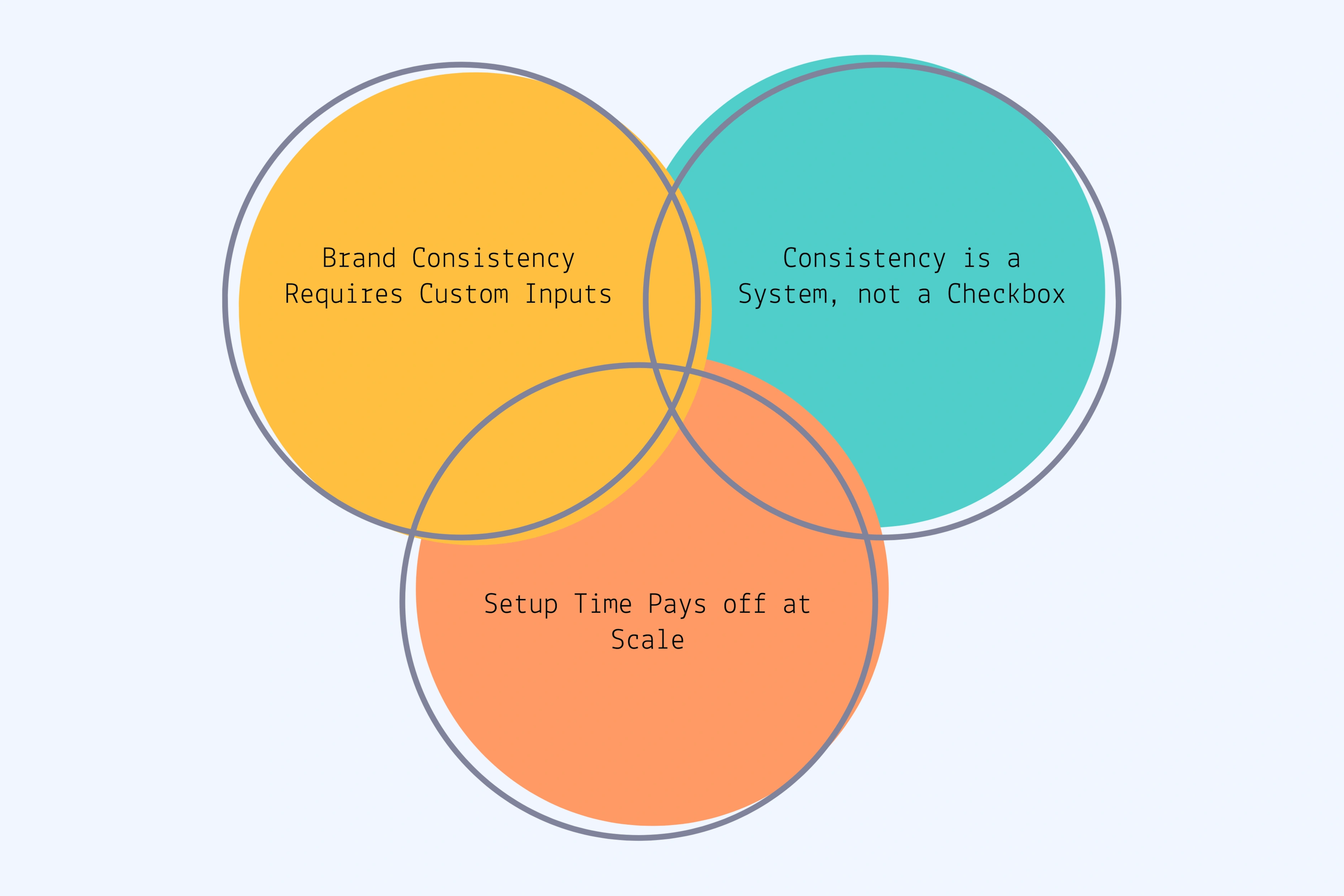
Brand consistency requires custom inputs: Stock templates and generic AI avatars make your videos look like everyone else's. Custom avatars that match your audience and trained product assets separate on-brand content from generic output.
Consistency is a system, not a checkbox: You cannot maintain brand identity across 50 videos without documented standards, reusable assets, and quality control checkpoints. The more videos you create, the harder consistency becomes without systems.
Setup time pays off at scale: The first AI brand video takes the longest because you build custom assets and encode your brand standards. Every video after that gets faster and maintains consistency automatically.
What Brand Consistency Actually Means for AI Videos
Your audience should recognize your content before they see your logo. That instant recognition builds trust. It signals quality. It makes your message land faster because people already know the source.
Professional videos look polished. On-brand videos look like yours. There is a difference. AI video generators can deliver professional results easily. Most tools default to clean, modern aesthetics that work for broad audiences. The challenge is moving from professional to distinctly branded.
AI struggles with brand nuance more than human creators do. A video editor who has worked with your brand for months understands your visual language intuitively. They know when something feels slightly off. They make micro-adjustments that maintain your style without being told.
AI video tools do not have that intuition. They need explicit instruction. You must translate what your brand looks and sounds like into specific, teachable rules. Vague direction creates vague results.
The Three Dimensions of Brand Consistency
Brand consistency in video has three distinct parts. Define each one clearly before you create AI videos.
Visual Identity
Color palette and exact hex codes
Typography choices in motion
Logo placement and animation style
Product staging and photography approach
Background aesthetics and scene composition
Transition and motion graphics style
Overall mood (minimalist, bold, energetic, calm)
Tonal Voice
Pacing and energy level
Degree of formality
Emotional tone (inspirational, practical, playful)
Voice characteristics when speaking
The feeling viewers should have while watching
Narrative Approach
Story structure preferences
Point of view in storytelling
Balance between showing people versus products
How you introduce problems and solutions
What makes your angle unique in your category
Saying "we want professional and modern videos" does not give AI enough to work with. AI needs concrete examples. Reference videos that show your exact style. Detailed specifications that remove ambiguity. Side-by-side comparisons that show what you want versus what you want to avoid.
Why Generic AI Tools Create Generic Results
Most AI video generators optimize for broad appeal. They use templates designed to work for everyone. The default styles, stock music, and pre-built avatars look good in general but do not look specifically like your brand.
Stock AI avatars represent average demographics. They work for general use cases but do not match your specific audience. A B2B software company needs different avatar energy than a fitness brand. A luxury product needs different visual treatment than a mass-market item. Generic avatars cannot capture these nuances.
The bigger problem is reusability without drift. When you start fresh with an AI video generator for each project, small inconsistencies compound:
One video uses blue backgrounds because that looked good that day
The next uses neutral tones
Avatar energy shifts between projects
Color grading varies
Visual composition changes
Without a system to maintain consistency, each video becomes a new interpretation of your brand. Your audience notices, even if they cannot articulate what changed. The trust that comes from consistency slowly erodes.
If you cannot clearly explain what makes your videos distinctly yours, AI cannot maintain that standard. The work happens before the technology. Define your brand video language first. Then AI can follow those rules.
The Real Requirements for AI Brand Videos That Stay On Brand
Creating AI videos that truly reflect your brand identity requires three specific elements. These are not nice-to-haves. They are the difference between generic output and content your audience recognizes as yours.
1. Custom Avatars That Match Your Audience
Stock avatars from AI video generator libraries look polished, but they represent no one specifically. They optimize for broad acceptability, not for matching your ideal customer profile.
Custom AI avatars solve this. When you build lifelike AI avatars designed specifically for your audience demographics, style preferences, and energy level, viewers see someone who could be them. The connection strengthens. Trust builds faster.
What Custom Avatar Creation Involves
Defining exact demographics (ethnicity, age range, gender)
Matching style and wardrobe to your audience
Setting personality energy and presentation style
Creating facial features that resonate with your ICP
Testing with real audience members before committing
The Consistency Advantage
When you use the same custom avatar across campaigns, your audience starts recognizing that person as your brand representative. They associate that face with your content. The avatar becomes part of your brand identity, not just a video element.
Reusability Changes Economics
Creating a custom avatar requires upfront investment. But once built, that avatar appears in dozens or hundreds of videos. The per-video cost drops dramatically. More importantly, every video maintains the same visual presence automatically.
This only works if you resist the temptation to keep switching avatars. Consistency requires commitment. Choose your custom avatar based on strategy, not on what feels fresh today.
2. Trained Product and Visual Assets
AI video generators can pull from stock libraries to show products. The results look acceptable but rarely match how you actually showcase your products. The lighting differs. The angles do not match your photography style. The context feels wrong.
Training AI on your specific products means teaching the system exactly how your products should appear:
Provide high-quality product photography from multiple angles
Show the AI your staging preferences and lighting style
Define composition approach and context
Ensure the system learns to render products accurately across scenarios
Why Precision Matters
Your audience knows what your products look like from your website, social media, and other marketing. When AI videos show products that match that familiar look, everything feels cohesive. When products appear slightly different, something feels off even if viewers cannot identify exactly what changed.
Building Your Visual Library
The same principle applies to your complete visual asset library:
Background images and scene settings
Branded graphics and overlay elements
Logo variations for different contexts
Motion graphics elements
B-roll footage that matches your aesthetic
Reusability Advantage
Once products and visual assets are properly trained and organized, you are not hunting for stock footage that almost matches your style. You are pulling from your brand-specific library. Every video starts from the right visual foundation.
3. Encoded Brand Standards and Templates
This is where most teams underestimate what is required. Your general brand guidelines probably cover logo usage, color palette, and typography. Those basics are not enough for video.
Video adds motion, pacing, transitions, audio, and time-based storytelling. Your brand standards need to extend into these dimensions:
How should text animate on screen?
What transition style matches your brand personality?
How fast should cuts happen?
What voice tone and pacing feel right?
What music style supports your brand?
What Templates Should Encode
Composition and framing rules
Color grading presets
Approved transition styles
Text animation approaches
Logo placement and timing
Music style and energy parameters
Voice direction specifications
Templates vs Restrictions
Templates are not about making every video identical. They establish guardrails. They define what stays consistent while leaving room for content variation.
The goal is making it harder to create off-brand content than to stay on brand. When your standards are encoded into the production process, consistency happens by default rather than requiring constant vigilance.
This systematic approach becomes more valuable as you scale. Creating five videos with careful attention to brand details is manageable. Creating fifty videos per month without systems leads to drift. Templates and encoded standards let you maintain quality at volume.
How to Set Up AI Video Production for Brand Consistency
The setup phase determines everything that follows. Rush through this and you will fight brand consistency issues on every video. Do it thoroughly once and future production becomes significantly easier.
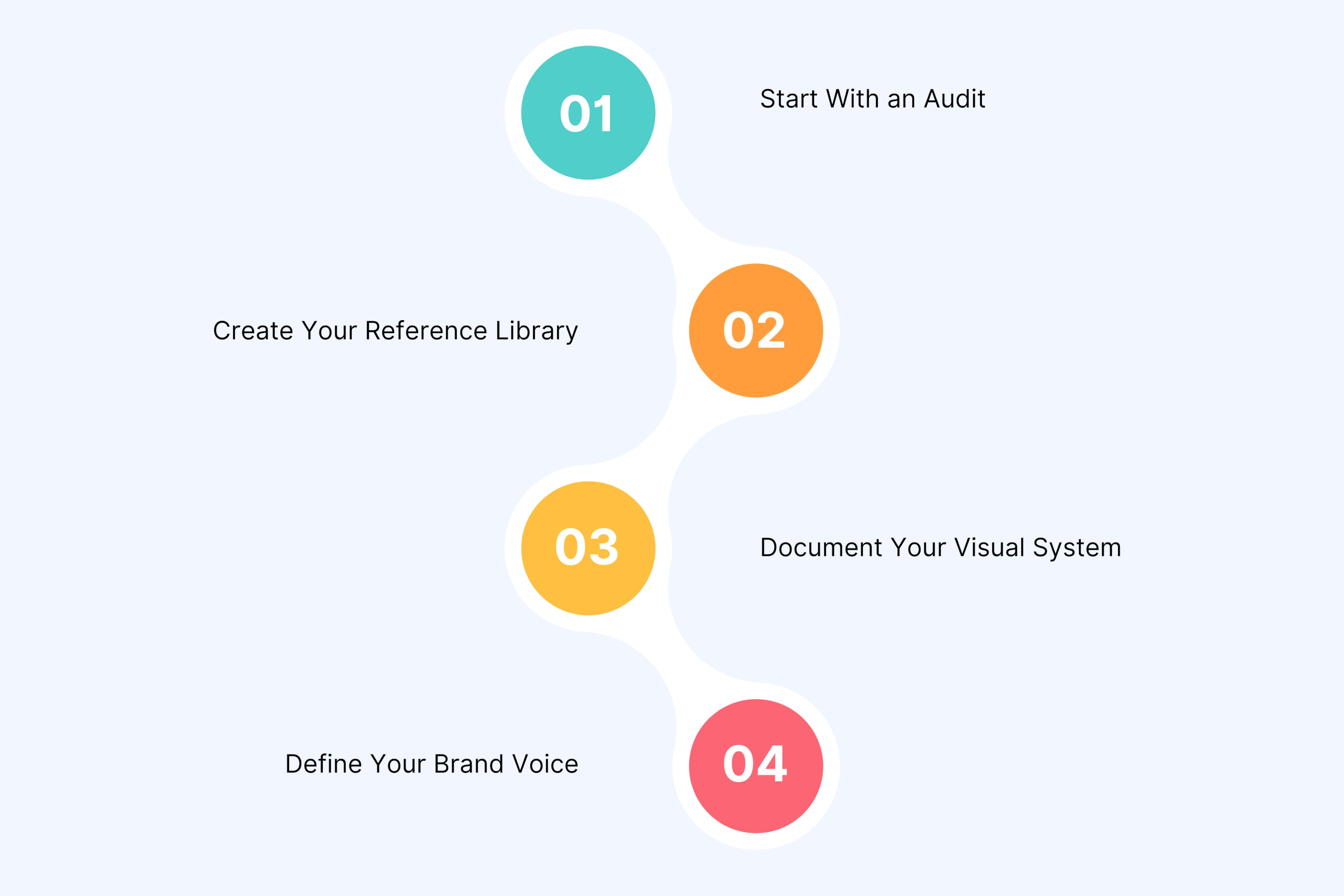
Define Your Brand Video Language First
Most teams want to jump straight to creating videos. Resist that urge. You cannot maintain consistency for something you have not clearly defined.
Start With an Audit
Look at your existing video content:
Review your top-performing videos
Identify your most on-brand work
Ask what makes these videos feel like yours
Check pacing, color treatment, energy level, story structure
Find visual and tonal patterns across your best content
Notice where inconsistency creeps in
Create Your Reference Library
Collect 5 to 10 examples that represent your ideal standard
Add detailed notes explaining what makes each one work
Use this library as your north star
Compare all AI-generated content against these references
Document Your Visual System
Go beyond your standard brand guidelines:
Record exact color codes (hex or RGB values)
Show how colors work in video context
Define typography in motion and text animation style
Use the contrast approach: "Our brand voice sounds like [specific description] NOT like [contrasting description]."
Build Custom Assets Worth Reusing
Custom assets require investment, but they transform how AI brand videos maintain consistency at scale.
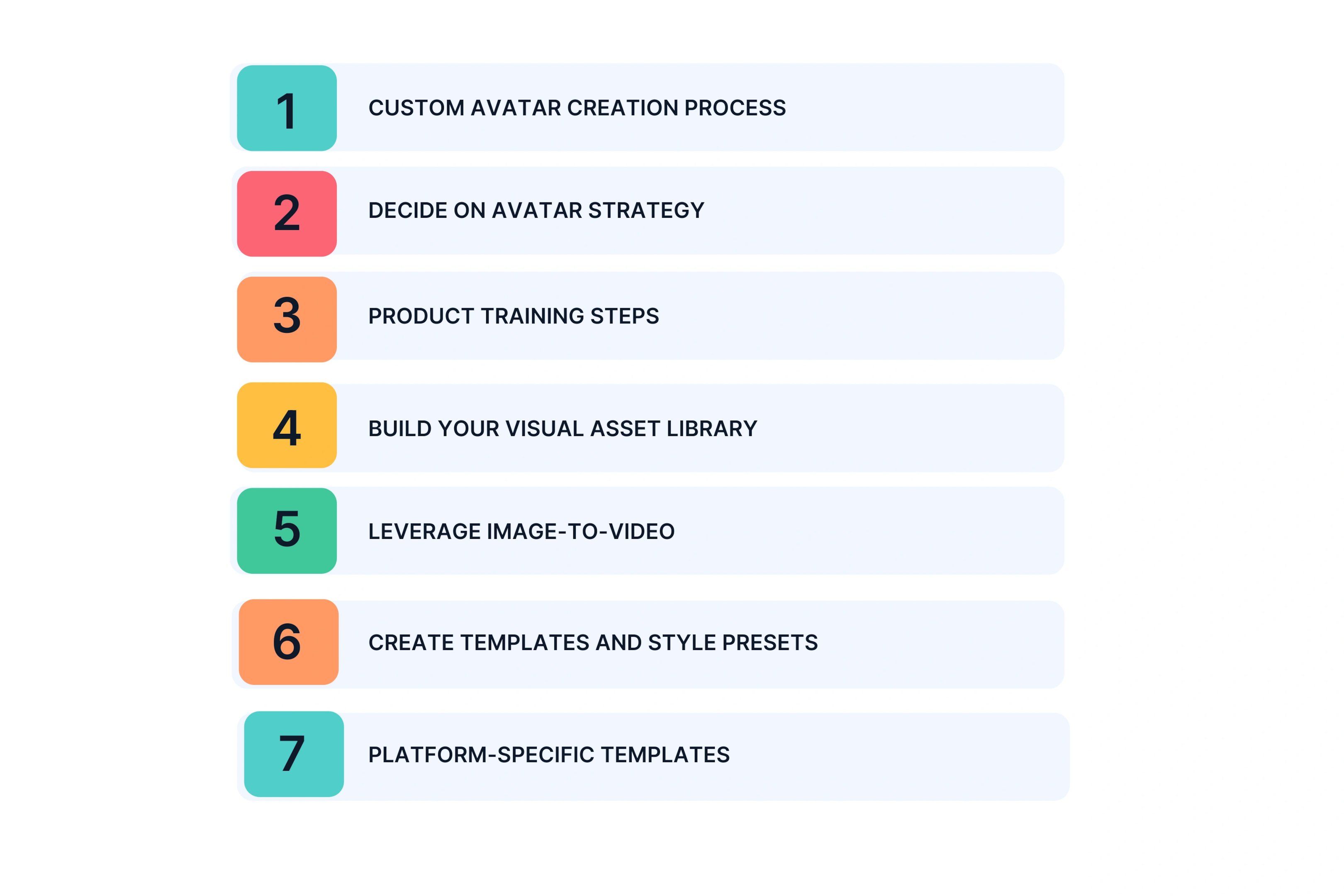
Custom Avatar Creation Process
Define avatar requirements based on customer demographics
Consider who your audience trusts and relates to
Match ethnicity, gender, age range, style, and energy to your ICP
Work with a creative partner like Unscript for custom design, or use tool customization features
Test with real audience members before committing
Make refinements based on feedback
Decide on Avatar Strategy
Do you need multiple avatars for different segments?
Or does one primary avatar work across all content?
Multiple avatars offer flexibility but can dilute consistency
Most brands start with one well-designed custom avatar
Product Training Steps
Gather high-quality product photography from every relevant angle
Show products in various contexts and use cases
Include detailed shots and full-scene staging
Provide source materials to your creative partner or upload to your AI video generator
Ensure AI learns to render products accurately
Build Your Visual Asset Library
Collect approved b-roll footage
Add background images and scenes
Include logo variations ready for video
Gather branded graphics and overlays
Find stock footage that matches your aesthetic
Organize everything for easy access
Leverage Image-to-Video
Turn static product photos into dynamic b-rolls
Fill gaps when you need product footage you do not have
Typical turnaround: 24 to 48 hours
Create variations for different platforms
Create Templates and Style Presets
Build templates that encode your brand standards:
Visual composition and framing
Color grading approach
Transition styles
Text animation treatment
Logo placement and timing
Audio style including music and voiceover direction
Platform-Specific Templates
Create versions optimized for:
YouTube videos
Instagram Reels
LinkedIn posts
TikTok content
Each platform has different format requirements and audience expectations. Templates maintain core brand identity while adapting to platform needs.
Set Up Quality Control Systems
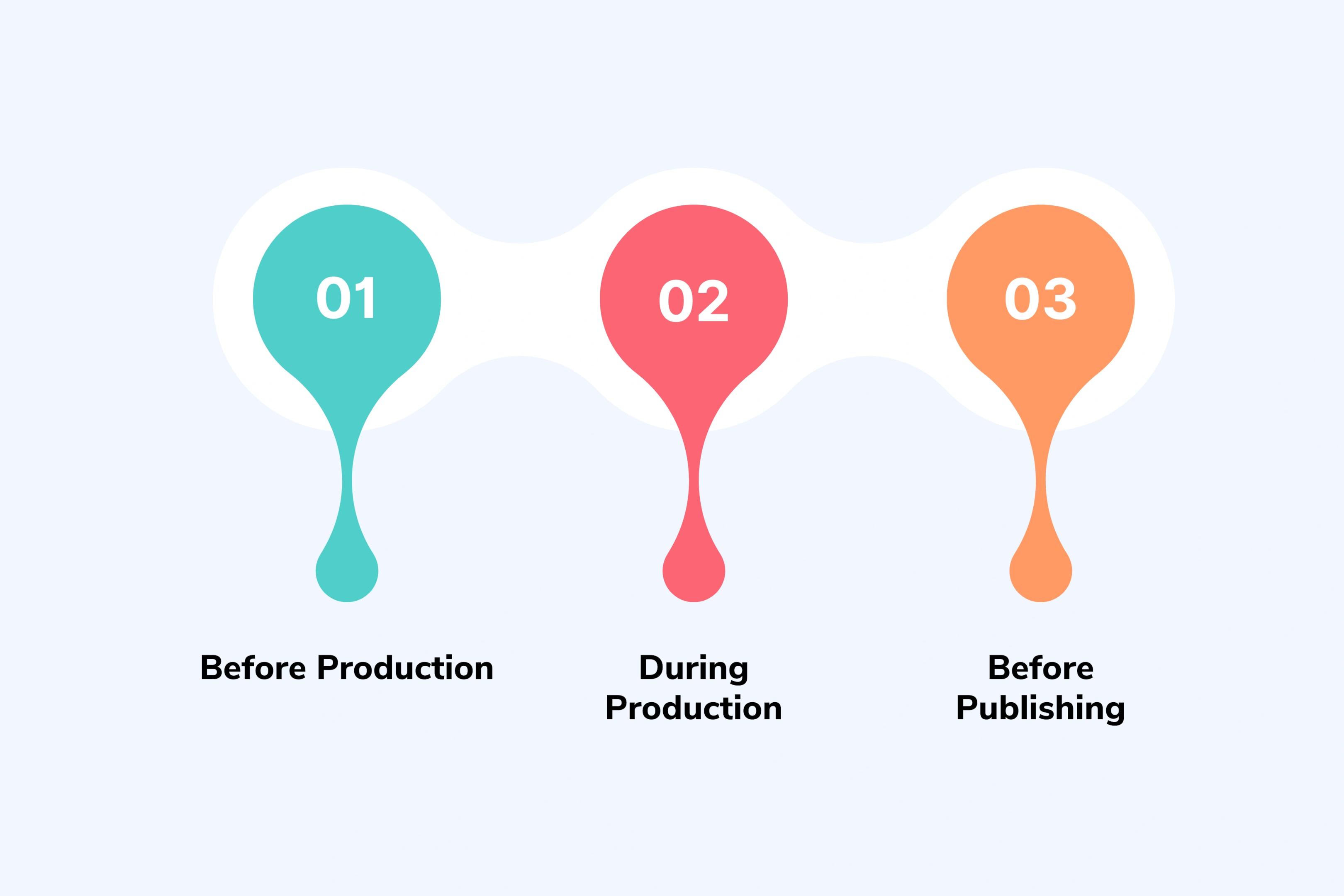
Consistency requires checkpoints, not just good intentions. Build quality control into your workflow at three stages.
Before Production
Review the creative brief and script
Verify they match brand voice guidelines
Confirm all required assets are available
Check that approach aligns with brand video standards
Get necessary approvals before moving forward
During Production
Check initial output from your AI video generator
Does avatar energy match expectations?
Do products render accurately?
Are visual elements on brand?
Compare against your reference library
Provide specific feedback for refinements
Most AI videos need one to two revision rounds. The more clearly you defined standards upfront, the fewer revisions you need.
Before Publishing
Do final brand compliance check
Verify formatting for each platform
Review against complete brand standards checklist
Add legal review if your industry requires it
Designate brand guardians who spot when something feels off
These checkpoints catch issues early when they are cheaper and faster to fix. They prevent off-brand content from reaching your audience.
Working With a Creative Partner vs DIY Tools
Two paths exist for creating AI brand videos. One involves using AI video generator tools directly. The other means working with a creative partner who handles production end to end.
The right choice depends on your team's skills, bandwidth, and priorities.
The DIY Approach With AI Video Tools
Using an AI video generator yourself means you control every aspect of video creation.
What You Handle
Script writing
Avatar selection or customization
Visual element choices
Video editing
Revision management
This Works Well If
Your team has video editing skills or dedicated creators
Your video needs follow simple, standardized formats
You have time to learn the tool and manage the process
You want hands-on control over every detail
The Challenges
AI video tools have a learning curve (not one-click simple)
You need ongoing quality control to prevent off-brand drift
Time investment may cost more than alternatives
Without video production expertise, results often disappoint
Most free plans severely limit quality and customization
Professional results require paid subscriptions and actual video editing skills.
The Creative Partner Model
Working with a creative partner like Unscript means you provide creative briefs, brand guidelines, and strategic direction. The partner handles everything from script development through final video delivery.
This Makes Sense For
Marketing teams without video editing skills or bandwidth
Organizations prioritizing speed and scale
Brands wanting strategic recommendations, not just execution
Custom avatar creation tailored specifically to your ICP
Professional creative direction built into the process
Faster turnaround with less internal effort
Production expertise without hiring full-time staff
Reusable brand assets created for you
Consultative approach with strategic guidance
Data safe processes for proprietary content
Considerations
Less hands-on control compared to DIY
Success requires clear communication and thorough briefing
Partnership fit matters, so choose carefully
Cost structure differs from tool subscriptions
This works for teams who see video as strategic output, not a process they need to own internally.
How Creative Partnerships Work
The relationship has two clear phases.
Phase 1: Brand Onboarding
Deep dive into your brand guidelines and visual standards
Review your reference videos and existing content
Define target audiences and specific use cases together
Create custom avatars based on your ICP
Train AI systems on your products and visual assets
Build brand-specific templates and style guides
This setup takes time, but it happens once. After onboarding, production speeds up dramatically.
Phase 2: Ongoing Production
You provide creative briefs for each video project
Partner develops scripts or works from yours
You review and approve strategic direction
Partner handles complete video creation end to end
You review outputs and provide feedback
Partner refines until videos meet brand standards
You receive finished videos ready to deploy
What You Control
Strategic direction and messaging
Brand standards and quality bar
Script and final video approval
Budget allocation across projects
What Partner Handles
Technical execution and AI video generation
Creative recommendations and best practices
Asset management and organization
Quality control and brand alignment
Production logistics and timelines
This division lets you focus on strategy while the partner focuses on execution.
Maintaining Consistency as You Scale AI Video Production
Creating ten on-brand AI videos is manageable with careful attention. Creating fifty videos per month requires systems. The more videos you produce, the harder brand consistency becomes without deliberate structure.
Document Video-Specific Brand Guidelines
Your general brand book does not cover enough for video production. Create video-specific guidelines that go deeper.
What to Include
Avatar usage rules and energy levels for different content
Script tone examples for various content types
Visual composition standards and framing preferences
Transition and motion graphics style specifications
CEO and executive communications where authenticity is critical
Content requiring unique locations or high production value
One-of-a-kind brand moments
The Hybrid Approach
Most successful brands use both strategically:
AI handles the volume work
Traditional production handles tentpole moments
You do not have to choose between them
Map your video needs by volume and complexity. High-volume, standardized content goes to AI. Low-volume, high-stakes content goes to traditional production.
The Economics of AI Brand Videos at Scale
Understanding costs helps you make smart investment decisions. Think beyond price per video. Consider speed, volume, and what becomes possible with AI video production.
AI becomes cost-effective at 10+ videos per quarter. Below that volume, calculations are closer when you factor in setup investment.
Where AI Delivers Maximum Value
High-volume content needs
Rapid testing and iteration
Personalized communications at scale
Multi-market localization
Educational content series
Calculate Your Real ROI
Consider Beyond Cost Per Video
Speed to market advantages
Testing potential with multiple variations
Team time savings
Consistency benefits across campaigns
Volume and Speed Advantages
AI lets you test ten ad variations where you previously tested two. You can create personalized outreach at scale instead of generic messaging. You can launch campaigns in days instead of weeks.
Scale Economics
The setup investment pays off quickly when you produce regularly:
First video includes setup costs
Every subsequent video costs dramatically less
Reuse custom avatars, trained products, and templates
Per-video cost drops with volume
Conclusion
Creating AI brand videos that truly stay on brand requires more than finding the best AI video generator and clicking create. Brand consistency comes from custom avatars that match your audience, trained products and visual assets that reflect your style, and encoded brand standards built into templates and systems.
The setup phase matters more than most teams expect. Define your brand video language clearly before generating content. Build custom assets worth reusing. Create quality control checkpoints that catch issues early.
Whether you use AI video generator tools directly or work with a creative partner like Unscript, success comes from strategic planning and systematic execution. Start with clear brand requirements. Build the right infrastructure. Maintain quality as you scale.
AI brand videos done right look and feel like your brand because you built the systems to make that happen automatically. The investment you make in setup pays off across every video you create after that.
Ready to create AI brand videos that truly reflect your brand?Schedule your strategy call now to discuss your video needs and explore how to maintain brand consistency at scale.
Let's Turn Your Scripts into Stunning Videos. Sign Up Now.
Stop struggling with video creation. Our AI simplifies the process, letting you create professional-looking videos from text in record time. Try it for free today!
How to Create AI Brand Videos That Stay True to Your Brand
Learn how to create AI brand videos that maintain your brand identity. Discover what it takes to use AI video generators without losing your visual language and brand voice.
Most marketing teams face the same moment. You discover an AI video generator that promises studio-quality content in minutes. You upload your logo, type a text prompt, and hit create. The output looks professional. Polished, even. But it does not look like yours.
The video could belong to any brand in your category. The AI avatar speaks with energy that does not match your voice. The visuals feel generic. Your audience would not recognize this as your content without seeing your logo.
This is the consistency challenge with AI brand videos. The technology can create videos. The question is whether it can create videos that feel authentically yours. Videos that maintain your visual language. Videos that sound like your brand when they speak.
The answer is yes, but not in one click. Creating AI brand videos that stay true to your brand identity requires understanding what brand consistency actually means for video content and what it takes to maintain it at scale.
Key Takeaways
Brand consistency requires custom inputs: Stock templates and generic AI avatars make your videos look like everyone else's. Custom avatars that match your audience and trained product assets separate on-brand content from generic output.
Consistency is a system, not a checkbox: You cannot maintain brand identity across 50 videos without documented standards, reusable assets, and quality control checkpoints. The more videos you create, the harder consistency becomes without systems.
Setup time pays off at scale: The first AI brand video takes the longest because you build custom assets and encode your brand standards. Every video after that gets faster and maintains consistency automatically.
What Brand Consistency Actually Means for AI Videos
Your audience should recognize your content before they see your logo. That instant recognition builds trust. It signals quality. It makes your message land faster because people already know the source.
Professional videos look polished. On-brand videos look like yours. There is a difference. AI video generators can deliver professional results easily. Most tools default to clean, modern aesthetics that work for broad audiences. The challenge is moving from professional to distinctly branded.
AI struggles with brand nuance more than human creators do. A video editor who has worked with your brand for months understands your visual language intuitively. They know when something feels slightly off. They make micro-adjustments that maintain your style without being told.
AI video tools do not have that intuition. They need explicit instruction. You must translate what your brand looks and sounds like into specific, teachable rules. Vague direction creates vague results.
The Three Dimensions of Brand Consistency
Brand consistency in video has three distinct parts. Define each one clearly before you create AI videos.
Visual Identity
Color palette and exact hex codes
Typography choices in motion
Logo placement and animation style
Product staging and photography approach
Background aesthetics and scene composition
Transition and motion graphics style
Overall mood (minimalist, bold, energetic, calm)
Tonal Voice
Pacing and energy level
Degree of formality
Emotional tone (inspirational, practical, playful)
Voice characteristics when speaking
The feeling viewers should have while watching
Narrative Approach
Story structure preferences
Point of view in storytelling
Balance between showing people versus products
How you introduce problems and solutions
What makes your angle unique in your category
Saying "we want professional and modern videos" does not give AI enough to work with. AI needs concrete examples. Reference videos that show your exact style. Detailed specifications that remove ambiguity. Side-by-side comparisons that show what you want versus what you want to avoid.
Why Generic AI Tools Create Generic Results
Most AI video generators optimize for broad appeal. They use templates designed to work for everyone. The default styles, stock music, and pre-built avatars look good in general but do not look specifically like your brand.
Stock AI avatars represent average demographics. They work for general use cases but do not match your specific audience. A B2B software company needs different avatar energy than a fitness brand. A luxury product needs different visual treatment than a mass-market item. Generic avatars cannot capture these nuances.
The bigger problem is reusability without drift. When you start fresh with an AI video generator for each project, small inconsistencies compound:
One video uses blue backgrounds because that looked good that day
The next uses neutral tones
Avatar energy shifts between projects
Color grading varies
Visual composition changes
Without a system to maintain consistency, each video becomes a new interpretation of your brand. Your audience notices, even if they cannot articulate what changed. The trust that comes from consistency slowly erodes.
If you cannot clearly explain what makes your videos distinctly yours, AI cannot maintain that standard. The work happens before the technology. Define your brand video language first. Then AI can follow those rules.
The Real Requirements for AI Brand Videos That Stay On Brand
Creating AI videos that truly reflect your brand identity requires three specific elements. These are not nice-to-haves. They are the difference between generic output and content your audience recognizes as yours.
1. Custom Avatars That Match Your Audience
Stock avatars from AI video generator libraries look polished, but they represent no one specifically. They optimize for broad acceptability, not for matching your ideal customer profile.
Custom AI avatars solve this. When you build lifelike AI avatars designed specifically for your audience demographics, style preferences, and energy level, viewers see someone who could be them. The connection strengthens. Trust builds faster.
What Custom Avatar Creation Involves
Defining exact demographics (ethnicity, age range, gender)
Matching style and wardrobe to your audience
Setting personality energy and presentation style
Creating facial features that resonate with your ICP
Testing with real audience members before committing
The Consistency Advantage
When you use the same custom avatar across campaigns, your audience starts recognizing that person as your brand representative. They associate that face with your content. The avatar becomes part of your brand identity, not just a video element.
Reusability Changes Economics
Creating a custom avatar requires upfront investment. But once built, that avatar appears in dozens or hundreds of videos. The per-video cost drops dramatically. More importantly, every video maintains the same visual presence automatically.
This only works if you resist the temptation to keep switching avatars. Consistency requires commitment. Choose your custom avatar based on strategy, not on what feels fresh today.
2. Trained Product and Visual Assets
AI video generators can pull from stock libraries to show products. The results look acceptable but rarely match how you actually showcase your products. The lighting differs. The angles do not match your photography style. The context feels wrong.
Training AI on your specific products means teaching the system exactly how your products should appear:
Provide high-quality product photography from multiple angles
Show the AI your staging preferences and lighting style
Define composition approach and context
Ensure the system learns to render products accurately across scenarios
Why Precision Matters
Your audience knows what your products look like from your website, social media, and other marketing. When AI videos show products that match that familiar look, everything feels cohesive. When products appear slightly different, something feels off even if viewers cannot identify exactly what changed.
Building Your Visual Library
The same principle applies to your complete visual asset library:
Background images and scene settings
Branded graphics and overlay elements
Logo variations for different contexts
Motion graphics elements
B-roll footage that matches your aesthetic
Reusability Advantage
Once products and visual assets are properly trained and organized, you are not hunting for stock footage that almost matches your style. You are pulling from your brand-specific library. Every video starts from the right visual foundation.
3. Encoded Brand Standards and Templates
This is where most teams underestimate what is required. Your general brand guidelines probably cover logo usage, color palette, and typography. Those basics are not enough for video.
Video adds motion, pacing, transitions, audio, and time-based storytelling. Your brand standards need to extend into these dimensions:
How should text animate on screen?
What transition style matches your brand personality?
How fast should cuts happen?
What voice tone and pacing feel right?
What music style supports your brand?
What Templates Should Encode
Composition and framing rules
Color grading presets
Approved transition styles
Text animation approaches
Logo placement and timing
Music style and energy parameters
Voice direction specifications
Templates vs Restrictions
Templates are not about making every video identical. They establish guardrails. They define what stays consistent while leaving room for content variation.
The goal is making it harder to create off-brand content than to stay on brand. When your standards are encoded into the production process, consistency happens by default rather than requiring constant vigilance.
This systematic approach becomes more valuable as you scale. Creating five videos with careful attention to brand details is manageable. Creating fifty videos per month without systems leads to drift. Templates and encoded standards let you maintain quality at volume.
How to Set Up AI Video Production for Brand Consistency
The setup phase determines everything that follows. Rush through this and you will fight brand consistency issues on every video. Do it thoroughly once and future production becomes significantly easier.
Define Your Brand Video Language First
Most teams want to jump straight to creating videos. Resist that urge. You cannot maintain consistency for something you have not clearly defined.
Start With an Audit
Look at your existing video content:
Review your top-performing videos
Identify your most on-brand work
Ask what makes these videos feel like yours
Check pacing, color treatment, energy level, story structure
Find visual and tonal patterns across your best content
Notice where inconsistency creeps in
Create Your Reference Library
Collect 5 to 10 examples that represent your ideal standard
Add detailed notes explaining what makes each one work
Use this library as your north star
Compare all AI-generated content against these references
Document Your Visual System
Go beyond your standard brand guidelines:
Record exact color codes (hex or RGB values)
Show how colors work in video context
Define typography in motion and text animation style
Use the contrast approach: "Our brand voice sounds like [specific description] NOT like [contrasting description]."
Build Custom Assets Worth Reusing
Custom assets require investment, but they transform how AI brand videos maintain consistency at scale.
Custom Avatar Creation Process
Define avatar requirements based on customer demographics
Consider who your audience trusts and relates to
Match ethnicity, gender, age range, style, and energy to your ICP
Work with a creative partner like Unscript for custom design, or use tool customization features
Test with real audience members before committing
Make refinements based on feedback
Decide on Avatar Strategy
Do you need multiple avatars for different segments?
Or does one primary avatar work across all content?
Multiple avatars offer flexibility but can dilute consistency
Most brands start with one well-designed custom avatar
Product Training Steps
Gather high-quality product photography from every relevant angle
Show products in various contexts and use cases
Include detailed shots and full-scene staging
Provide source materials to your creative partner or upload to your AI video generator
Ensure AI learns to render products accurately
Build Your Visual Asset Library
Collect approved b-roll footage
Add background images and scenes
Include logo variations ready for video
Gather branded graphics and overlays
Find stock footage that matches your aesthetic
Organize everything for easy access
Leverage Image-to-Video
Turn static product photos into dynamic b-rolls
Fill gaps when you need product footage you do not have
Typical turnaround: 24 to 48 hours
Create variations for different platforms
Create Templates and Style Presets
Build templates that encode your brand standards:
Visual composition and framing
Color grading approach
Transition styles
Text animation treatment
Logo placement and timing
Audio style including music and voiceover direction
Platform-Specific Templates
Create versions optimized for:
YouTube videos
Instagram Reels
LinkedIn posts
TikTok content
Each platform has different format requirements and audience expectations. Templates maintain core brand identity while adapting to platform needs.
Set Up Quality Control Systems
Consistency requires checkpoints, not just good intentions. Build quality control into your workflow at three stages.
Before Production
Review the creative brief and script
Verify they match brand voice guidelines
Confirm all required assets are available
Check that approach aligns with brand video standards
Get necessary approvals before moving forward
During Production
Check initial output from your AI video generator
Does avatar energy match expectations?
Do products render accurately?
Are visual elements on brand?
Compare against your reference library
Provide specific feedback for refinements
Most AI videos need one to two revision rounds. The more clearly you defined standards upfront, the fewer revisions you need.
Before Publishing
Do final brand compliance check
Verify formatting for each platform
Review against complete brand standards checklist
Add legal review if your industry requires it
Designate brand guardians who spot when something feels off
These checkpoints catch issues early when they are cheaper and faster to fix. They prevent off-brand content from reaching your audience.
Working With a Creative Partner vs DIY Tools
Two paths exist for creating AI brand videos. One involves using AI video generator tools directly. The other means working with a creative partner who handles production end to end.
The right choice depends on your team's skills, bandwidth, and priorities.
The DIY Approach With AI Video Tools
Using an AI video generator yourself means you control every aspect of video creation.
What You Handle
Script writing
Avatar selection or customization
Visual element choices
Video editing
Revision management
This Works Well If
Your team has video editing skills or dedicated creators
Your video needs follow simple, standardized formats
You have time to learn the tool and manage the process
You want hands-on control over every detail
The Challenges
AI video tools have a learning curve (not one-click simple)
You need ongoing quality control to prevent off-brand drift
Time investment may cost more than alternatives
Without video production expertise, results often disappoint
Most free plans severely limit quality and customization
Professional results require paid subscriptions and actual video editing skills.
The Creative Partner Model
Working with a creative partner like Unscript means you provide creative briefs, brand guidelines, and strategic direction. The partner handles everything from script development through final video delivery.
This Makes Sense For
Marketing teams without video editing skills or bandwidth
Organizations prioritizing speed and scale
Brands wanting strategic recommendations, not just execution
Custom avatar creation tailored specifically to your ICP
Professional creative direction built into the process
Faster turnaround with less internal effort
Production expertise without hiring full-time staff
Reusable brand assets created for you
Consultative approach with strategic guidance
Data safe processes for proprietary content
Considerations
Less hands-on control compared to DIY
Success requires clear communication and thorough briefing
Partnership fit matters, so choose carefully
Cost structure differs from tool subscriptions
This works for teams who see video as strategic output, not a process they need to own internally.
How Creative Partnerships Work
The relationship has two clear phases.
Phase 1: Brand Onboarding
Deep dive into your brand guidelines and visual standards
Review your reference videos and existing content
Define target audiences and specific use cases together
Create custom avatars based on your ICP
Train AI systems on your products and visual assets
Build brand-specific templates and style guides
This setup takes time, but it happens once. After onboarding, production speeds up dramatically.
Phase 2: Ongoing Production
You provide creative briefs for each video project
Partner develops scripts or works from yours
You review and approve strategic direction
Partner handles complete video creation end to end
You review outputs and provide feedback
Partner refines until videos meet brand standards
You receive finished videos ready to deploy
What You Control
Strategic direction and messaging
Brand standards and quality bar
Script and final video approval
Budget allocation across projects
What Partner Handles
Technical execution and AI video generation
Creative recommendations and best practices
Asset management and organization
Quality control and brand alignment
Production logistics and timelines
This division lets you focus on strategy while the partner focuses on execution.
Maintaining Consistency as You Scale AI Video Production
Creating ten on-brand AI videos is manageable with careful attention. Creating fifty videos per month requires systems. The more videos you produce, the harder brand consistency becomes without deliberate structure.
Document Video-Specific Brand Guidelines
Your general brand book does not cover enough for video production. Create video-specific guidelines that go deeper.
What to Include
Avatar usage rules and energy levels for different content
Script tone examples for various content types
Visual composition standards and framing preferences
Transition and motion graphics style specifications
CEO and executive communications where authenticity is critical
Content requiring unique locations or high production value
One-of-a-kind brand moments
The Hybrid Approach
Most successful brands use both strategically:
AI handles the volume work
Traditional production handles tentpole moments
You do not have to choose between them
Map your video needs by volume and complexity. High-volume, standardized content goes to AI. Low-volume, high-stakes content goes to traditional production.
The Economics of AI Brand Videos at Scale
Understanding costs helps you make smart investment decisions. Think beyond price per video. Consider speed, volume, and what becomes possible with AI video production.
AI becomes cost-effective at 10+ videos per quarter. Below that volume, calculations are closer when you factor in setup investment.
Where AI Delivers Maximum Value
High-volume content needs
Rapid testing and iteration
Personalized communications at scale
Multi-market localization
Educational content series
Calculate Your Real ROI
Consider Beyond Cost Per Video
Speed to market advantages
Testing potential with multiple variations
Team time savings
Consistency benefits across campaigns
Volume and Speed Advantages
AI lets you test ten ad variations where you previously tested two. You can create personalized outreach at scale instead of generic messaging. You can launch campaigns in days instead of weeks.
Scale Economics
The setup investment pays off quickly when you produce regularly:
First video includes setup costs
Every subsequent video costs dramatically less
Reuse custom avatars, trained products, and templates
Per-video cost drops with volume
Conclusion
Creating AI brand videos that truly stay on brand requires more than finding the best AI video generator and clicking create. Brand consistency comes from custom avatars that match your audience, trained products and visual assets that reflect your style, and encoded brand standards built into templates and systems.
The setup phase matters more than most teams expect. Define your brand video language clearly before generating content. Build custom assets worth reusing. Create quality control checkpoints that catch issues early.
Whether you use AI video generator tools directly or work with a creative partner like Unscript, success comes from strategic planning and systematic execution. Start with clear brand requirements. Build the right infrastructure. Maintain quality as you scale.
AI brand videos done right look and feel like your brand because you built the systems to make that happen automatically. The investment you make in setup pays off across every video you create after that.
Ready to create AI brand videos that truly reflect your brand?Schedule your strategy call now to discuss your video needs and explore how to maintain brand consistency at scale.
We are committed to safety, security, and ethical use of our service. Al avatars can only be created and shared with express consent and cannot be used to spread content that's harmful to others.
December 23, 2025
How to Scale Video Ad Production Without the Traditional Bottlenecks
Learn how teams produce 20-30 video ad variations per campaign without massive budgets. Practical strategies for scaling video production that actually work.
Short-Form Video Ads: Why Most Fail in 7 Days (And How to Win)
Most short-form video ads lose 50% performance in 7 days. Learn the attention patterns, variation strategies, and platform tactics that sustain results.
How to Scale UGC Video Ads Without Losing Authenticity (or Your Budget)
UGC video ads drive conversions, but scaling them is expensive and slow. Learn how brands test multiple hooks, maintain authenticity, and reduce ad spend without creator dependency.
Avatar Marketing: Which One Do You Actually Need? (And How to Know)
Avatar marketing can mean digital AI characters OR customer profiling. Learn which one you need, when each works, and how to avoid costly mistakes in your strategy.
We are committed to safety, security, and ethical use of our service. Al avatars can only be created and shared with express consent and cannot be used to spread content that's harmful to others.
Data Encryption
Your data is encrypted both in transit and at rest, ensuring safe and confidential communications at all times.
Privacy Compliance
Our platform adheres to GDPR, CCPA, and SOC 2, safeguarding your data with strict security protocols.
Identity Verification
We use identity checks to ensure only authorized individuals access your account and data.
24/7 Monitoring
Our system continuously monitors for vulnerabilities, keeping your data safe from potential risks.









.svg)
.svg)
%201.svg)

.webp)
.webp)
.webp)


.svg)
